| # Otava Test Data |
| |
| Test data generators and Visualization for [Apache Otava](https://github.com/apache/otava) change point detection. |
| |
| ## Web Visualizer |
| |
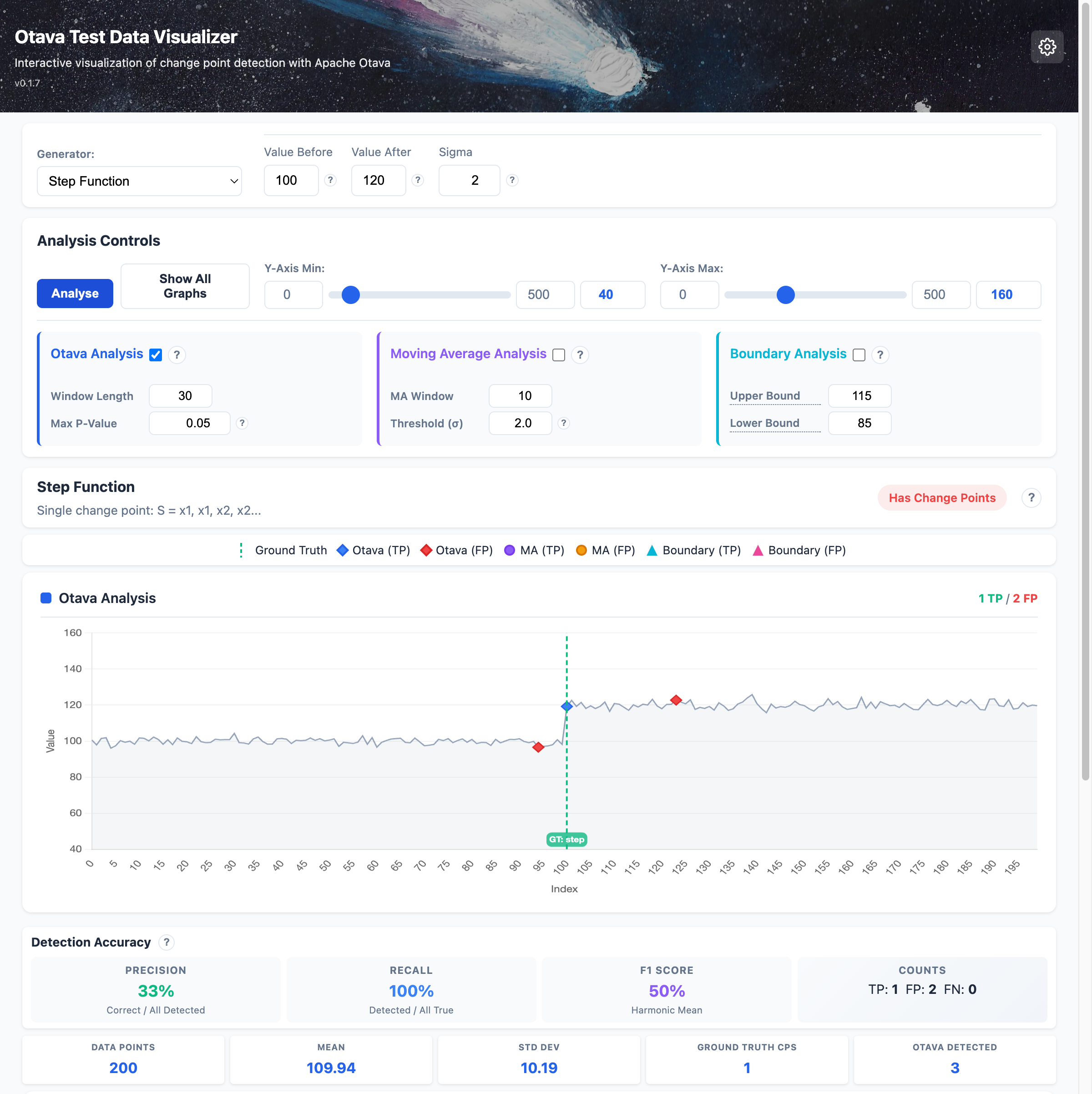
| The package includes an interactive web visualizer for exploring test patterns and comparing change point detection results against ground truth. |
| |
|  |
| |
| **Features:** |
| - Generate and visualize 17 different test patterns |
| - Compare three analysis methods: Otava (statistical), Moving Average, and Boundary detection |
| - View accuracy metrics (precision, recall, F1 score) |
| - Adjust parameters in real-time and see results instantly |
| |
| ### Multiple Change Points |
| |
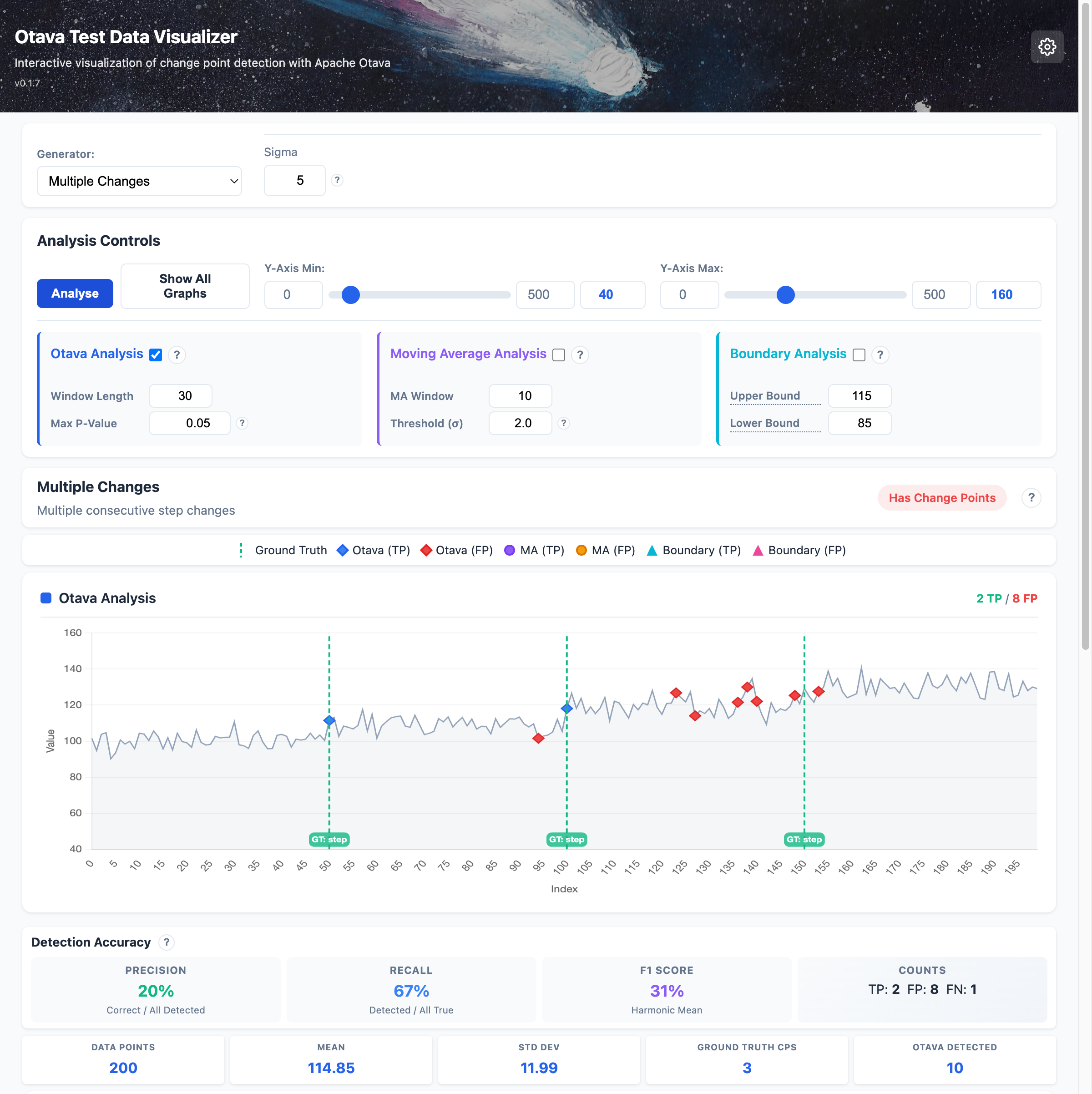
| Detect multiple successive changes in your data: |
| |
|  |
| |
| ### Variance Changes |
| |
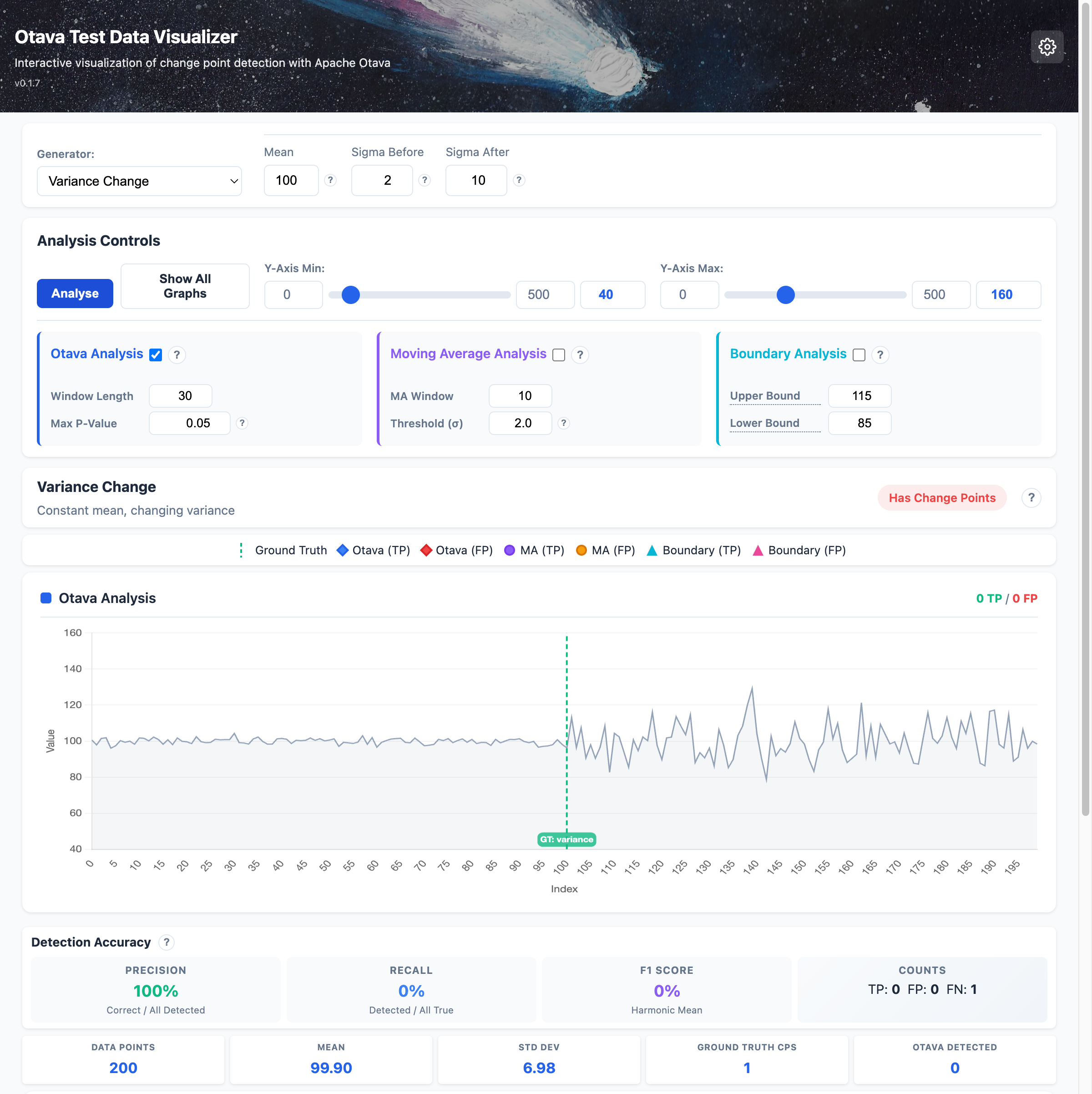
| Detect changes in data volatility even when the mean stays constant: |
| |
|  |
| |
| ### Starting the Visualizer |
| |
| ```bash |
| pip install otava-test-data[web] |
| |
| # Start the web server |
| otava-web |
| # Or with invoke tasks |
| inv web-start |
| ``` |
| |
| Then open http://127.0.0.1:8100 in your browser. |
| |
| ### Compare algorithms on a real dataset |
| |
| A third mode, **Dataset**, lets you load a bundled or pasted time series and |
| see which change points each Otava algorithm variant |
| (`compute_change_points`, `compute_change_points_orig`, |
| `compute_change_points_deterministic`) detects on the same data. The TigerBeetle |
| benchmark dataset ships as the default preset. The Otava analysis panel now |
| exposes the same algorithm checkboxes in all three modes. See |
| `docs/visualizer.md` for details. |
| |
| ## Installation |
| |
| ```bash |
| pip install otava-test-data |
| ``` |
| |
| Or with all optional dependencies: |
| |
| ```bash |
| pip install otava-test-data[all] |
| ``` |
| |
| ## Quick Start |
| |
| ```python |
| from otava_test_data import step_function, noise_normal, combine |
| |
| # Generate a step function (single change point) with realistic noise |
| step = step_function(length=500, value_before=100, value_after=120) |
| noise = noise_normal(length=500, mean=0, sigma=5) |
| combined = combine(step, noise) |
| |
| # Export to CSV for Otava analysis |
| combined.to_csv("test_data.csv") |
| |
| # Access ground truth change point information |
| for cp in combined.change_points: |
| print(f"Change at index {cp.index}: {cp.description}") |
| ``` |
| |
| ## Available Generators |
| |
| ### Basic Building Blocks |
| |
| | Generator | Description | |
| |-----------|-------------| |
| | `constant` | Constant value: `S = x, x, x, x...` | |
| | `noise_normal` | Normal distribution: `S ~ N(mean, sigma)` | |
| | `noise_uniform` | Uniform distribution: `S ~ U(min, max)` | |
| | `outlier` | Single anomaly: `S = x, x, x', x, x...` | |
| | `step_function` | Single change point: `S = x1, x1, x2, x2...` | |
| | `regression_fix` | Temporary regression: `S = x1, x2, x1...` | |
| |
| ### Advanced Patterns |
| |
| | Generator | Description | |
| |-----------|-------------| |
| | `banding` | Oscillation between two values | |
| | `variance_change` | Constant mean, changing variance | |
| | `phase_change` | Phase shift in periodic signal | |
| | `multiple_changes` | Multiple consecutive step changes | |
| |
| ## CLI Tool |
| |
| ```bash |
| # Generate test suite |
| otava-gen generate --output-dir ./test_data --lengths 50 500 --seed 42 |
| |
| # List available generators |
| otava-gen list |
| |
| # Get info about a generator |
| otava-gen info step_function |
| ``` |
| |
| ## Documentation |
| |
| Full documentation available at [Read the Docs](https://otava-test-data.readthedocs.io/). |
| |
| ## License |
| |
| Apache License 2.0 |
