| # Dubbo Admin |
| |
| [](https://github.com/apache/dubbo-admin/actions/workflows/ci.yml) |
| [](https://codecov.io/gh/apache/dubbo-admin/branches/develop) |
|  |
| [](http://isitmaintained.com/project/apache/dubbo-admin "Average time to resolve an issue") |
| [](http://isitmaintained.com/project/apache/dubbo-admin "Percentage of issues still open") |
| |
| Dubbo Admin is the console designed for better visualization of Dubbo services, it provides support for Dubbo3 and is compatible with 2.7.x, 2.6.x and 2.5.x. |
| |
| 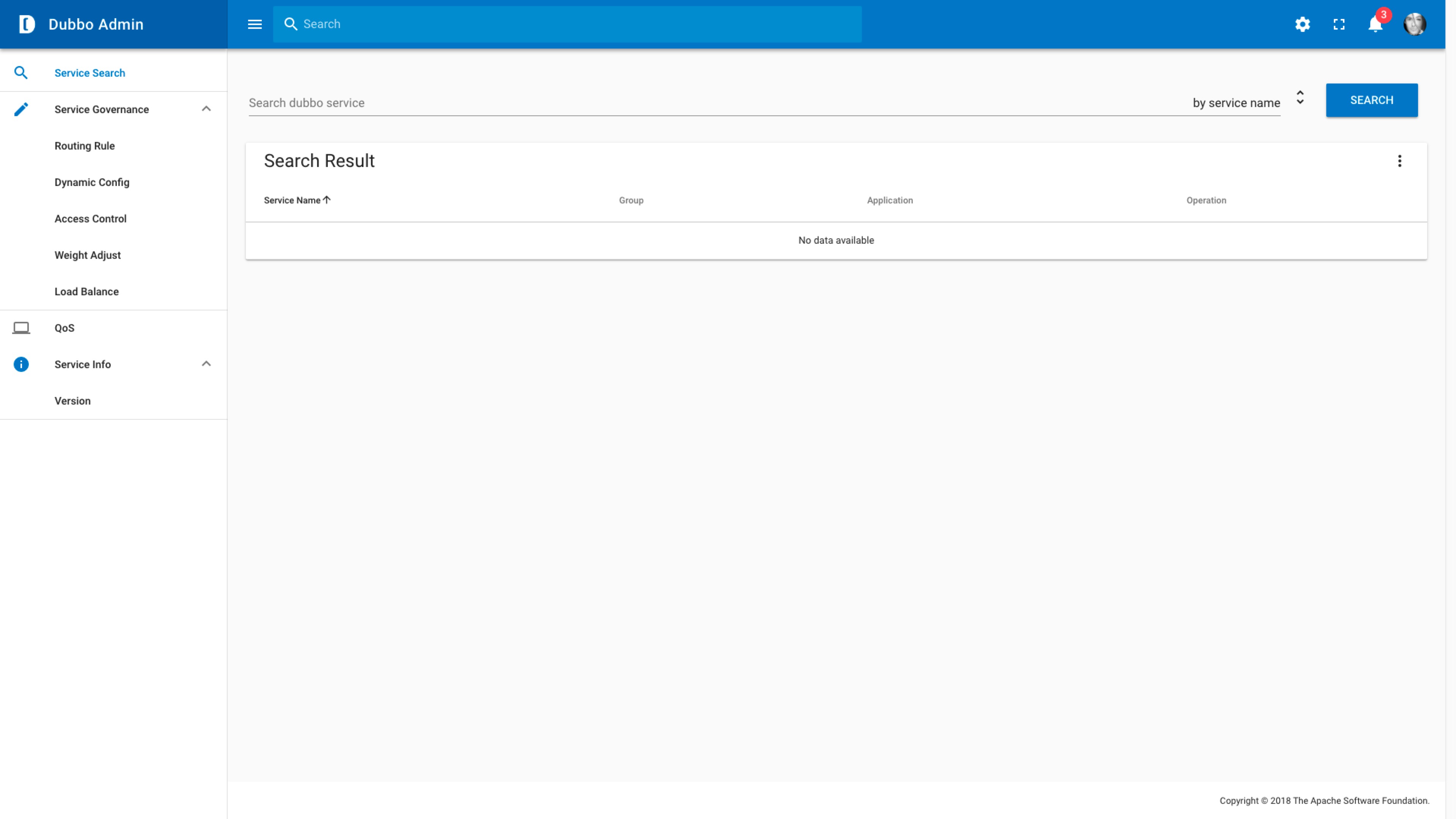 |
| |
| There are four ways to deploy Dubbo Admin to a production environment. |
| |
| 1. [Compile from source](#11-compile-from-source) |
| 2. [Run with Docker](#12-run-with-docker) |
| 3. [Run with Kubernetes](#13-run-with-kubernetes) |
| 4. [Run with Helm](#14-run-with-helm) |
| |
| Choose either method based on your environment, where Helm is the recommended installation method because Helm can be installed with a single click and automatically helps manage all of Admin's required production environment dependencies. |
| |
| ## 1.1 Compile from source |
| |
| 1. Download code: `git clone https://github.com/apache/dubbo-admin.git` |
| 2. Change `dubbo-admin-server/src/main/resources/application.properties` configuration to make Admin points to the designated registries, etc. |
| 3. Build |
| - `mvn clean package -Dmaven.test.skip=true` |
| 4. Start |
| * `mvn --projects dubbo-admin-server spring-boot:run` |
| or |
| * `cd dubbo-admin-distribution/target; java -jar dubbo-admin-${project.version}.jar` |
| 5. Visit `http://localhost:38080`, default username and password are `root` |
| |
| > **Security Notice: Please remember to change the `admin.check.signSecret`, `admin.root.user.name` and `admin.root.user.password` value before you deploy to production environment.** |
| |
| ## 1.2 Run with Docker |
| |
| > **Note: This method only supports running under linux system. Docker support for windows and mac systems will be released soon!** |
| |
| Dubbo-Admin image is hosted at: https://hub.docker.com/repository/docker/apache/dubbo-admin. |
| |
| You can run the image directly by mounting a volume from the host that contains an `application.properties` file with the accessible registry and config-center addresses specified. |
| |
| ```shell |
| $ docker run -itd --net=host --name dubbo-admin -v /dubbo/dubbo-admin/properties:/config apache/dubbo-admin |
| ``` |
| |
| > Replace `/dubbo/dubbo-admin/properties` with the actual host path (must be an absolute path) that points to a directory containing `application.properties`. |
| |
| The `application.properties` configuration file is as follows (taking the `zookeeper` registration center as an example): |
| |
| ```properties |
| admin.registry.address=zookeeper://127.0.0.1:2181 |
| admin.config-center=zookeeper://127.0.0.1:2181 |
| admin.root.user.name=root |
| admin.root.user.password=root |
| admin.check.signSecret=86295dd0c4ef69a1036b0b0c15158d77 |
| ``` |
| |
| > **Security Notice: Please remember to change the `admin.check.signSecret`, `admin.root.user.name` and `admin.root.user.password` value before you deploy to production environment.** |
| |
| Open web browser and visit `http://localhost:38080`, default username and password are `root`. |
| |
| ## 1.3 Run with Kubernetes |
| |
| **1. Download Kubernetes manifests** |
| ```sh |
| $ git clone https://github.com/apache/dubbo-admin.git |
| ``` |
| |
| Switch to the 'dubbo-admin/kubernetes/dubbo-admin' directory to see the Admin kubernetes resource file |
| ```sh |
| $ cd dubbo-admin/kubernetes/dubbo-admin |
| ``` |
| |
| **2. Install Dubbo Admin** |
| |
| Open `configmap.yaml` and modify accordingly to override configurations in [application.properties](./dubbo-admin-server/src/main/resources/application.properties). |
| |
| > **Security Notice: Please remember to change the `admin.check.signSecret`, `admin.root.user.name` and `admin.root.user.password` value before you deploy to production environment.** |
| |
| Run the following command: |
| |
| ```sh |
| $ kubectl apply -f ./ |
| ``` |
| |
| **3. Visit Admin** |
| ```sh |
| $ kubectl port-forward service dubbo-admin 38080:38080 |
| ``` |
| |
| Visit `http://localhost:38080` |
| |
| |
| ## 1.4 Helm with Admin |
| There are two ways to run Admin through Help. They have the same effect, so you can choose any of the following. |
| |
| **1. Download chart source file** |
| |
| clone Dubbo Admin project storehouse: |
| |
| ```sh |
| $ git clone https://github.com/apache/dubbo-admin.git |
| ``` |
| |
| Switch from the warehouse root directory to the following directory `deploy/charts/dubbo-admin` |
| |
| ```sh |
| $ cd dubbo-admin/charts/dubbo-admin |
| ``` |
| **2. Install helm chart** |
| |
| Start parameters of Admin so that Admin can connect to the real production environment registry or configuration center. You can specify a custom configuration file through the following `-f` help parameter: |
| ```yaml |
| properties: |
| admin.registry.address: zookeeper://zookeeper:2181 |
| admin.config-center: zookeeper://zookeeper:2181 |
| admin.metadata-report.address: zookeeper://zookeeper:2181 |
| admin.root.user.name: root |
| admin.root.user.password: root |
| admin.check.signSecret: 86295dd0c4ef69a1036b0b0c15158d77 |
| ``` |
| |
| > **Security Notice: Please remember to change the `admin.check.signSecret`, `admin.root.user.name` and `admin.root.user.password` value before you deploy to production environment.** |
| |
| ```sh |
| $ helm install dubbo-admin -f values.yaml . |
| ``` |
| |
| `properties` in `values.yml` will override those defaults in Admin [application.properties](./dubbo-admin-server/src/main/resources/application.properties), In addition to 'properties', you can also customize other properties defined by Admin chart, check here for [Complete parameters](./charts/helm/dubbo-admin/values.yaml)。 |
| |
| **3. Visit Admin** |
| |
| Visit http://127.0.0.1:38080 |
| |
| # 2. Want To Contribute |
| |
| Below contains the description of the project structure for developers who want to contribute to make Dubbo Admin better. |
| |
| ## 2.1 Admin UI |
| |
| - [Vue.js](https://vuejs.org) and [Vue Cli](https://cli.vuejs.org/) |
| - [dubbo-admin-ui/README.md](dubbo-admin-ui/README.md) for more detail |
| - Set npm **proxy mirror |
| Below contains the description of the project structure for developers who want to contribute to make Dubbo Admin better. |
| |
| ## 2.1 Admin UI |
| |
| - [Vue.js](https://vuejs.org) and [Vue Cli](https://cli.vuejs.org/) |
| - [dubbo-admin-ui/README.md](dubbo-admin-ui/README.md) for more detail |
| - Set npm **proxy mirror**: |
| |
| If you have network issue, you can set npm proxy mirror to speedup npm install: |
| |
| add `registry=https://registry.npmmirror.com` to ~/.npmrc |
| |
| ## 2.2 Admin Server |
| |
| * Standard spring boot project |
| * [configurations in application.properties](https://github.com/apache/dubbo-admin/wiki/Dubbo-Admin-configuration) |
| |
| |
| ## 2.3 Setting up a local developing environment |
| * Run admin server project |
| |
| backend is a standard spring boot project, you can run it in any java IDE |
| |
| * Run admin ui project |
| |
| at directory `dubbo-admin-ui`, run with `npm run dev`. |
| |
| * visit web page |
| |
| visit `http://localhost:38082`, frontend supports hot reload. |
| |
| # 3 License |
| |
| Apache Dubbo admin is under the Apache 2.0 license, Version 2.0. |
| See [LICENSE](https://github.com/apache/dubbo-admin/blob/develop/LICENSE) for full license text. |
