
fix: Raise `start-druid` middleManager memory to 256m (#19582)

* Raise start-druid middleManager memory floor to 256m

The auto memory split in start-druid gives the middleManager the lowest
weight, so on a moderately sized machine it can be awarded a very small
heap: at `-m 16g` it gets only ~68m. The middleManager does not just fork
peons, it also runs an embedded HTTP server that proxies task reports and
logs back to callers (for example the web console polling a running query).
Under that proxying load a ~68m heap is exhausted, the middleManager exits
with an OutOfMemoryError, and the task it owns is reported as having
"disappeared on the worker".

Raise the middleManager minimum from 64m to 256m. 256m matches the heap
already shipped for the medium/large/xlarge single-server example configs.
The floor only affects deployments small enough that the proportional split
would fall below it (roughly under 60g total); larger deployments are
unchanged.

* Drop the explanatory comment on the middleManager floor


| Workflow | Status |
|---|---|
| ⚙️ CodeQL Config |  |
| 🔍 CodeQL |  |
| 🕒 Cron Job ITS |  |
| 🏷️ Labeler |  |
| 🛠️ Static Checks |  |
| 🧪 Unit and Integration Tests Unified |  |








Druid is a high performance real-time analytics database. Druid's main value add is to reduce time to insight and action.
Druid is designed for workflows where fast queries and ingest really matter. Druid excels at powering UIs, running operational (ad-hoc) queries, or handling high concurrency. Consider Druid as an open source alternative to data warehouses for a variety of use cases. The design documentation explains the key concepts.
You can get started with Druid with our local or Docker quickstart. For Kubernetes deployments, the druid-operator is maintained in a separate repository.
Druid provides a rich set of APIs (via HTTP and JDBC) for loading, managing, and querying your data. You can also interact with Druid via the built-in web console (shown below).
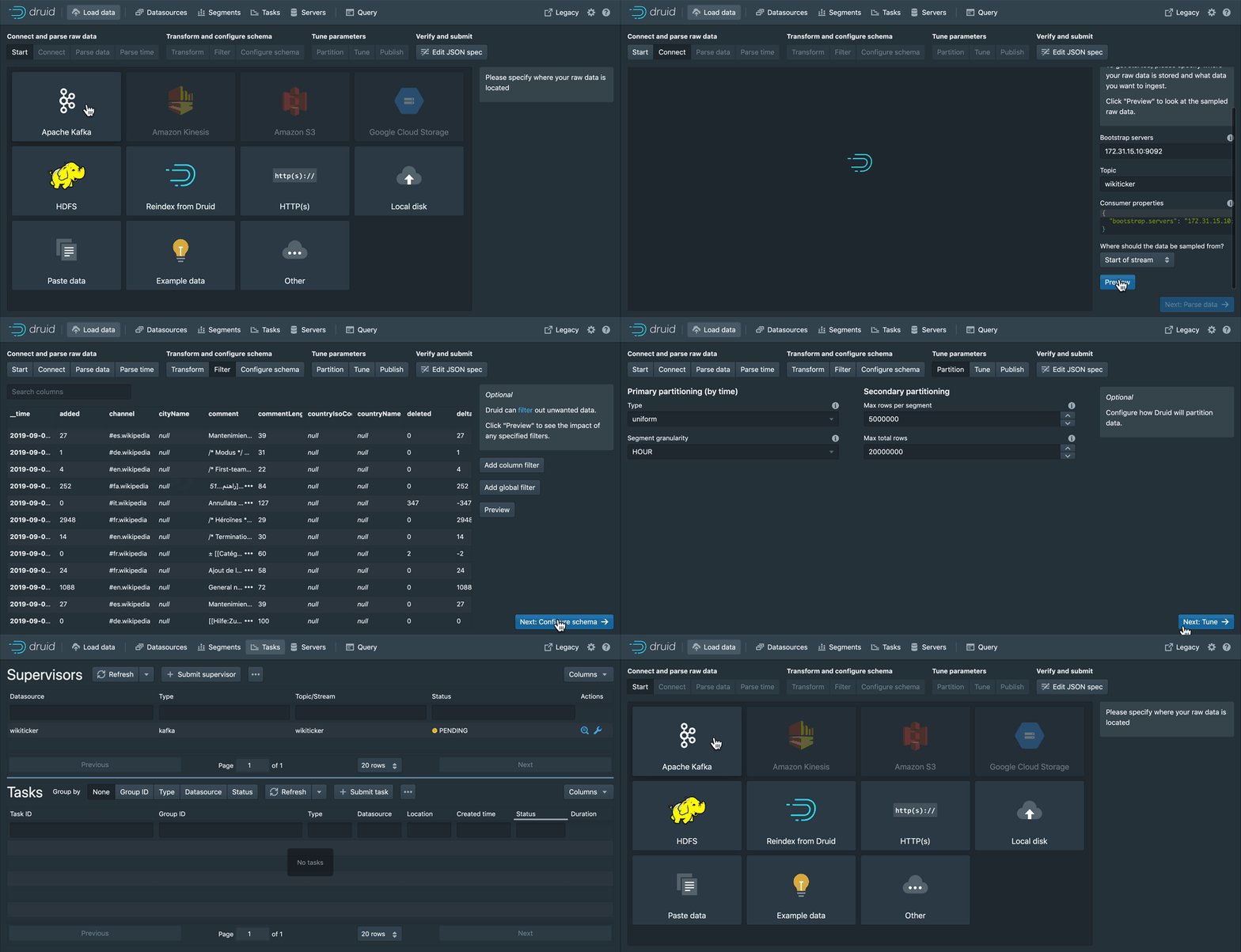
Load streaming and batch data using a point-and-click wizard to guide you through ingestion setup. Monitor one off tasks and ingestion supervisors.

Manage your cluster with ease. Get a view of your datasources, segments, ingestion tasks, and services from one convenient location. All powered by SQL systems tables, allowing you to see the underlying query for each view.
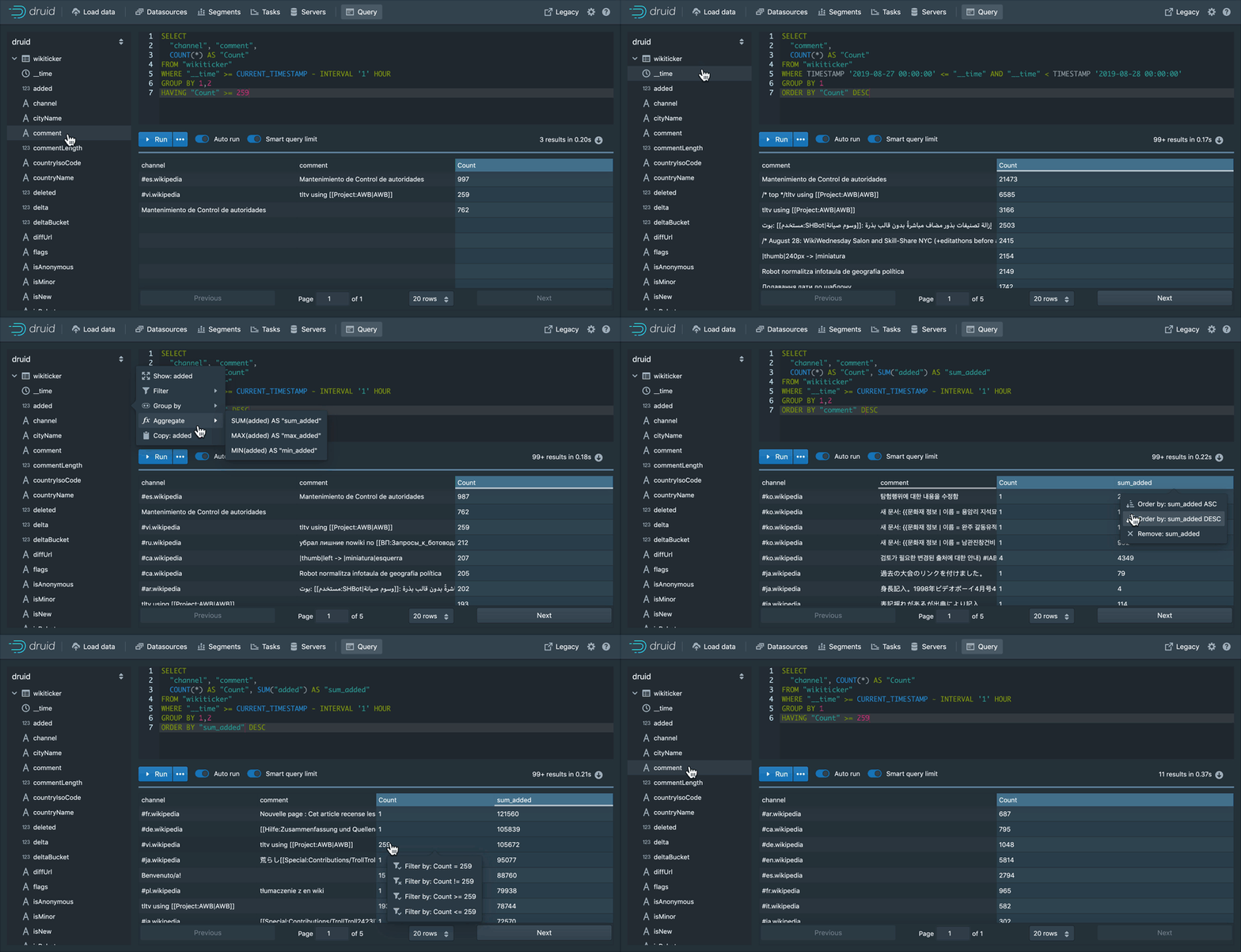
Use the built-in query workbench to prototype DruidSQL and native queries or connect one of the many tools that help you make the most out of Druid.
See the latest documentation for the documentation for the current official release. If you need information on a previous release, you can browse previous releases documentation.
Make documentation and tutorials updates in /docs using Markdown or extended Markdown (MDX). Then, open a pull request.
To build the site locally, you need Node 18 or higher and to install Docusaurus 3 with npm|yarn install in the website directory. Then you can run npm|yarn start to launch a local build of the docs.
If you're looking to update non-doc pages like Use Cases, those files are in the druid-website-src repo.
For more information, see the README in the ./website directory.
Visit the official project community page to read about getting involved in contributing to Apache Druid, and how we help one another use and operate Druid.
druid-user mailing list on Google Groups, and have more technical conversations in #troubleshooting on Slack.druid-dev mailing list (dev@druid.apache.org). Subscribe by emailing dev-subscribe@druid.apache.org. For live conversations, join the #dev channel on Slack.Check out the official community page for details of how to join the community Slack channels.
Find articles written by community members and a calendar of upcoming events on the project site - contribute your own events and articles by submitting a PR in the apache/druid-website-src repository.
Please note that JDK 21 or JDK 25 is required to build Druid.
See the latest build guide for instructions on building Apache Druid from source.
Please follow the community guidelines for contributing.
For instructions on setting up IntelliJ dev/intellij-setup.md

