


| Workflow | Status |
|---|---|
| ⚙️ CodeQL Config |  |
| 🔍 CodeQL |  |
| 🕒 Cron Job ITS |  |
| 🏷️ Labeler |  |
| 🛠️ Static Checks |  |
| 🧪 Unit and Integration Tests Unified |  |








Druid is a high performance real-time analytics database. Druid's main value add is to reduce time to insight and action.
Druid is designed for workflows where fast queries and ingest really matter. Druid excels at powering UIs, running operational (ad-hoc) queries, or handling high concurrency. Consider Druid as an open source alternative to data warehouses for a variety of use cases. The design documentation explains the key concepts.
You can get started with Druid with our local or Docker quickstart. For Kubernetes deployments, the druid-operator is maintained in a separate repository.
Druid provides a rich set of APIs (via HTTP and JDBC) for loading, managing, and querying your data. You can also interact with Druid via the built-in web console (shown below).
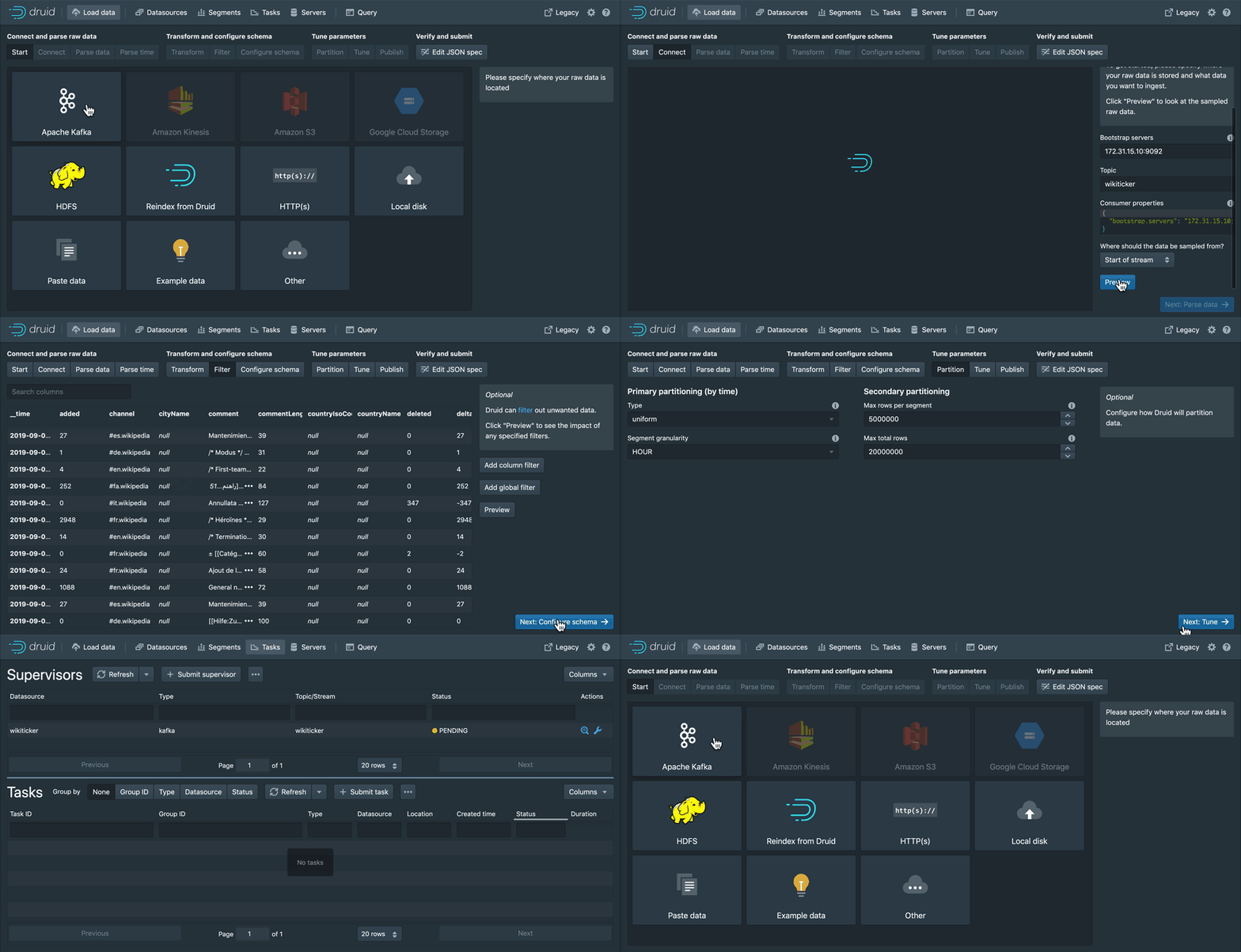
Load streaming and batch data using a point-and-click wizard to guide you through ingestion setup. Monitor one off tasks and ingestion supervisors.

Manage your cluster with ease. Get a view of your datasources, segments, ingestion tasks, and services from one convenient location. All powered by SQL systems tables, allowing you to see the underlying query for each view.
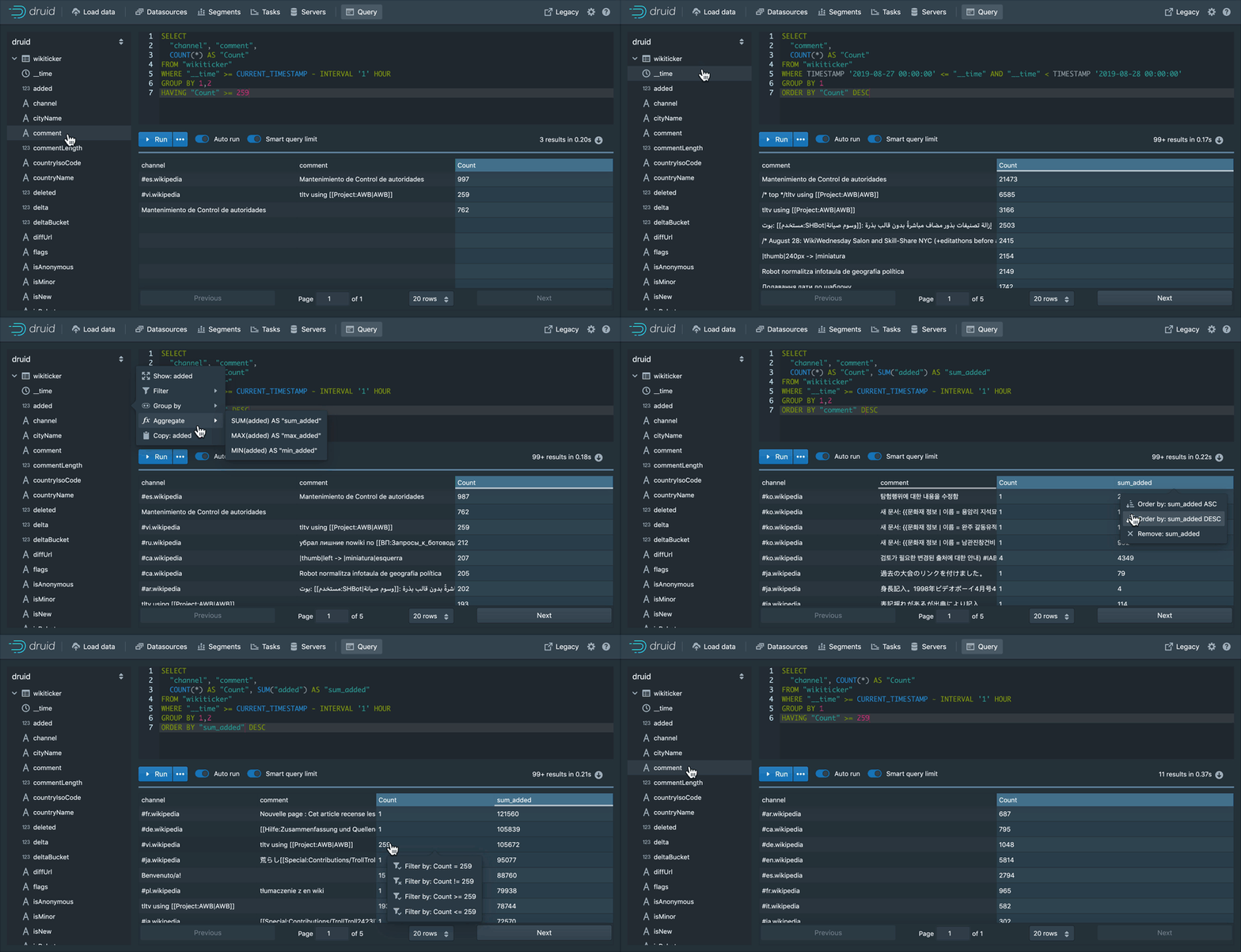
Use the built-in query workbench to prototype DruidSQL and native queries or connect one of the many tools that help you make the most out of Druid.
See the latest documentation for the documentation for the current official release. If you need information on a previous release, you can browse previous releases documentation.
Make documentation and tutorials updates in /docs using Markdown or extended Markdown (MDX). Then, open a pull request.
To build the site locally, you need Node 22 or higher and to install Docusaurus 3 with npm|yarn install in the website directory. Then you can run npm|yarn start to launch a local dev preview of the docs.
If you're looking to update non-doc pages like Use Cases, those files are in the druid-website-src repo.
For more information, see the README in the ./website directory.
Visit the official project community page to read about getting involved in contributing to Apache Druid, and how we help one another use and operate Druid.
druid-user mailing list on Google Groups, and have more technical conversations in #troubleshooting on Slack.druid-dev mailing list (dev@druid.apache.org). Subscribe by emailing dev-subscribe@druid.apache.org. For live conversations, join the #dev channel on Slack.Check out the official community page for details of how to join the community Slack channels.
Find articles written by community members and a calendar of upcoming events on the project site - contribute your own events and articles by submitting a PR in the apache/druid-website-src repository.
Please note that JDK 25 is required to build Druid.
See the latest build guide for instructions on building Apache Druid from source.
Please follow the community guidelines for contributing.
For instructions on setting up IntelliJ dev/intellij-setup.md

