| # Apache OpenDAL™ Python Binding |
| |
| [](https://pypi.org/project/opendal/) |
| [](https://pypi.org/project/opendal/) |
| [](https://opendal.apache.org/docs/python/) |
| |
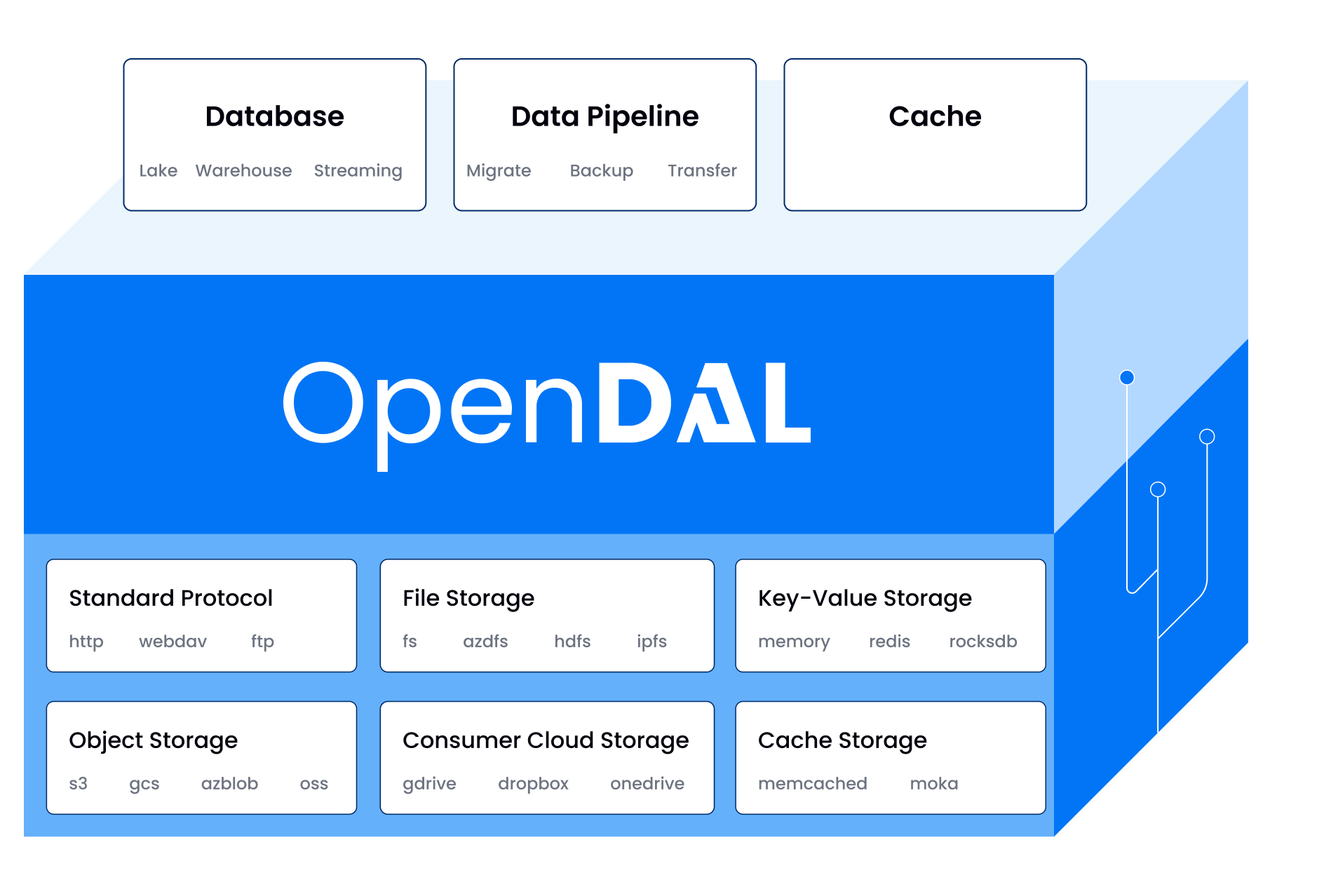
| This package provides a native Python binding for **Apache OpenDAL™**, a data access |
| layer that allows you to access various storage services in a unified way. |
| |
|  |
| |
| ## Useful Links |
| |
| - [Documentation](https://opendal.apache.org/docs/python/) |
| - [Examples](./docs/examples) |
| - [Upgrade Guide](./upgrade.md) |
| |
| --- |
| |
| ## Features |
| |
| - **Unified API**: Access S3, GCS, Azure Blob, HDFS, FTP, and more with the same set of |
| commands. |
| - **Native Performance**: Built in Rust for high performance and safety. |
| - **Async Support**: First-class `async` API for modern Python applications. |
| - **Easy to Use**: Simple and intuitive API design. |
| |
| --- |
| |
| ## Installation |
| |
| Install the package directly from PyPI: |
| |
| ```bash |
| pip install opendal |
| ``` |
| |
| --- |
| |
| ## Usage |
| |
| Here are a few examples of how to use OpenDAL with different storage backends. |
| |
| ### Local Filesystem (`fs`) |
| |
| ```python |
| import opendal |
| |
| # Initialize the operator for the local filesystem |
| op = opendal.Operator("fs", root="/tmp") |
| |
| # Write data to a file |
| op.write("test.txt", b"Hello World") |
| |
| # Read data from the file |
| content = op.read("test.txt") |
| print(op.read("test.txt")) |
| |
| # Get metadata |
| metadata = op.stat("test.txt") |
| print(f"Content length: {metadata.content_length}") # Output: 11 |
| ``` |
| |
| ### Amazon S3 |
| |
| The API remains the same—just change the scheme and credentials. |
| |
| ```python |
| import opendal |
| |
| # Initialize the operator for S3 |
| op = opendal.Operator( |
| "s3", |
| bucket="your_bucket_name", |
| region="your_region", |
| root="/path/to/root" |
| ) |
| |
| op.write("test.txt", b"Hello World") |
| print(op.read("test.txt")) |
| print(op.stat("test.txt").content_length) |
| ``` |
| |
| ### Async Usage (`s3`) |
| |
| OpenDAL also provides a fully asynchronous API. |
| |
| ```python |
| import asyncio |
| import opendal |
| |
| async def main(): |
| # Use AsyncOperator for async operations |
| op = opendal.AsyncOperator("s3", root="/tmp", bucket="your_bucket_name", region="your_region") |
| |
| await op.write("test.txt", b"Hello World") |
| print(await op.read("test.txt")) |
| |
| asyncio.run(main()) |
| ``` |
| |
| --- |
| |
| ## Development |
| |
| This project uses [`just`](https://github.com/casey/just) as a command runner to |
| simplify the development workflow. |
| |
| 1. **Clone the repository and set up the environment:** |
| |
| ```shell |
| # This will create a virtual environment and install all dependencies |
| just setup |
| ``` |
| |
| 2. **Run tests:** |
| |
| ```shell |
| # Example: Run tests for the 'fs' operator |
| OPENDAL_TEST=fs OPENDAL_FS_ROOT=/tmp just test |
| ``` |
| |
| For a complete guide on building, testing, and contributing, please see our |
| **[CONTRIBUTING.md](./CONTRIBUTING.md)** file. |
| |
| --- |
| |
| ## Used By |
| |
| Check out the [users list](./users.md) for more details on who is using OpenDAL. |
| |
| ## License and Trademarks |
| |
| Licensed under the Apache License, Version 2.0: |
| http://www.apache.org/licenses/LICENSE-2.0 |
| |
| Apache OpenDAL, OpenDAL, and Apache are either registered trademarks or trademarks of |
| the Apache Software Foundation. |
