| # Symbolic Configuration and Execution in Pictures |
| |
| This topic explains symbolic construction and execution in pictures. |
| We recommend that you also read [Symbolic API](symbol.md). |
| |
| ## Compose Symbols |
| |
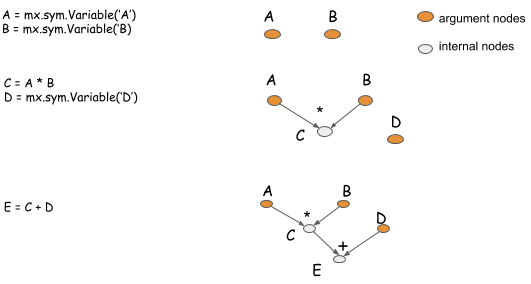
| Symbols are a description of the computation that you want to perform. The symbolic construction API generates the computation |
| graph that describes the computation. The following picture shows how you compose symbols to describe basic computations. |
| |
|  |
| |
| - The ```mxnet.symbol.Variable``` function creates argument nodes that represent input to the computation. |
| - The symbol is overloaded with basic element-wise mathematical operations. |
| |
| ## Configure Neural Networks |
| |
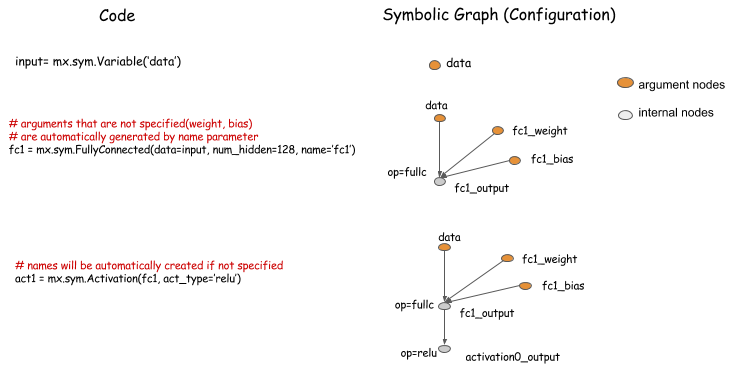
| In addition to supporting fine-grained operations, MXNet provides a way to perform big operations that is analogous to layers in neural networks. |
| You can use operators to describe the configuration of a neural network. |
| |
|  |
| |
| |
| ## Example of a Multi-Input Network |
| |
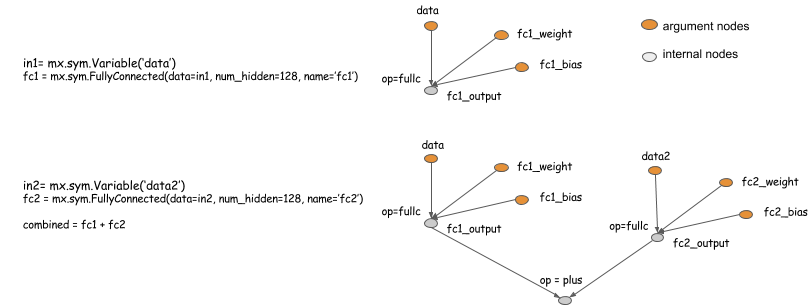
| The following example shows how to configure multiple input neural networks. |
| |
|  |
| |
| |
| ## Bind and Execute Symbol |
| |
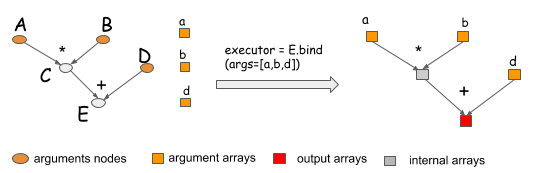
| When you need to execute a symbol graph, you call the bind function to bind ```NDArrays``` to the argument nodes |
| in order to obtain an ```Executor```. |
| |
|  |
| |
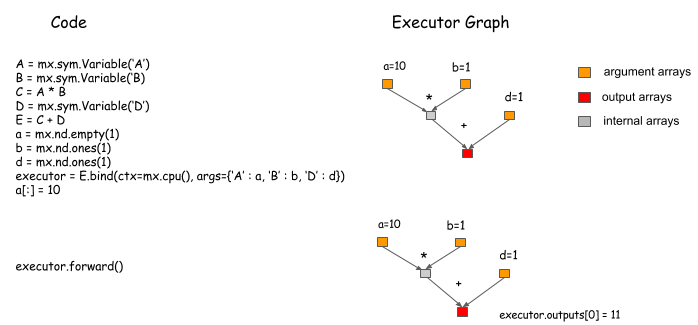
| To get the output results, given the bound NDArrays as input, you can call ```Executor.Forward```. |
| |
|  |
| |
| |
| ## Bind Multiple Outputs |
| |
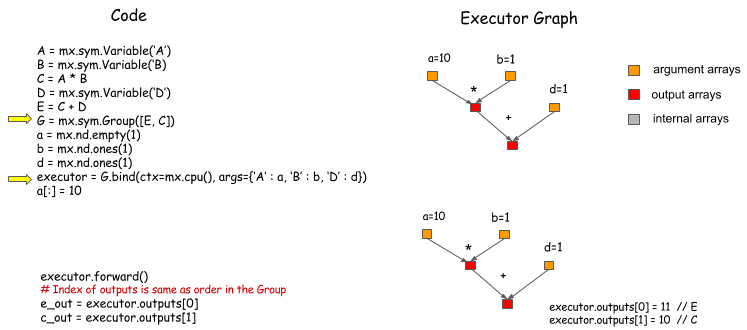
| To group symbols, then bind them to |
| get outputs of both, use ```mx.symbol.Group```. |
| |
|  |
| |
| Remember: Bind only what you need, so that the system can perform more optimizations. |
| |
| |
| ## Calculate the Gradient |
| |
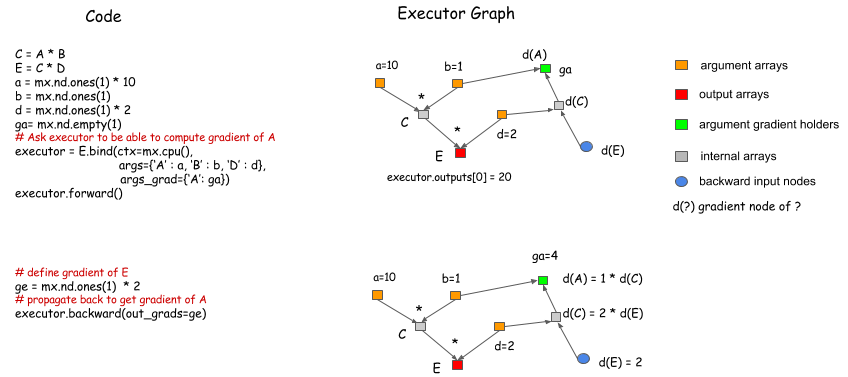
| In the bind function, you can specify NDArrays that will hold gradients. Calling ```Executor.backward``` after ```Executor.forward``` gives you the corresponding gradients. |
| |
|  |
| |
| |
| ## Simple Bind Interface for Neural Networks |
| |
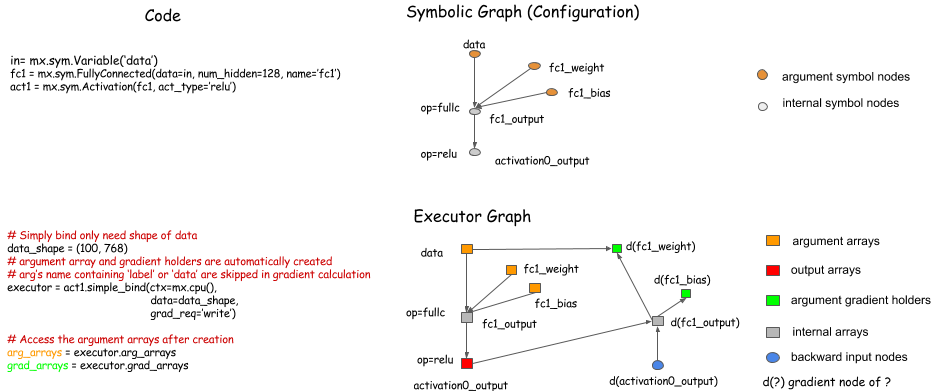
| It can be tedious to pass the argument NDArrays to the bind function, especially when you are binding a big |
| graph. ```Symbol.simple_bind``` provides a way to simplify |
| the procedure. You need to specify only input data shapes. The function allocates the arguments, and binds |
| the Executor for you. |
| |
|  |
| |
| ## Auxiliary States |
| |
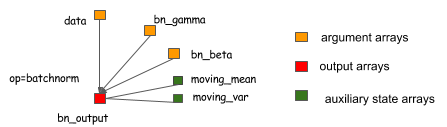
| Auxiliary states are just like arguments, except that you can't take the gradient of them. Although auxiliary states might |
| not be part of the computation, they can be helpful to track. You can pass auxiliary states in the same way that you pass arguments. |
| |
|  |
| |
| ## More Information |
| |
| See [Symbolic API](symbol.md) and [Python Documentation](index.md). |
