| # Symbolic Configuration and Execution in Pictures |
| |
| This topic explains symbolic construction and execution in pictures. |
| We recommend that you also read [Symbolic API](symbol.md). |
| |
| ## Compose Symbols |
| |
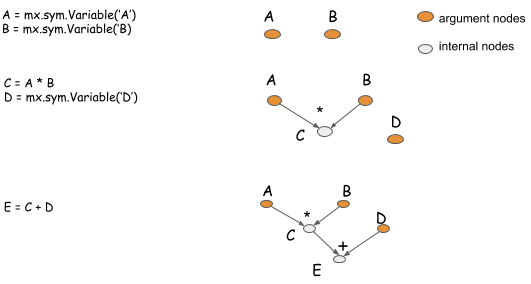
| Symbols are a description of the computation that you want to perform. The symbolic construction API generates the computation |
| graph that describes the computation. The following picture shows how you compose symbols to describe basic computations. |
| |
|  |
| |
| - The ```mxnet.symbol.Variable``` function creates argument nodes that represent input to the computation. |
| - The symbol is overloaded with basic element-wise mathematical operations. |
| |
| ## Configure Neural Networks |
| |
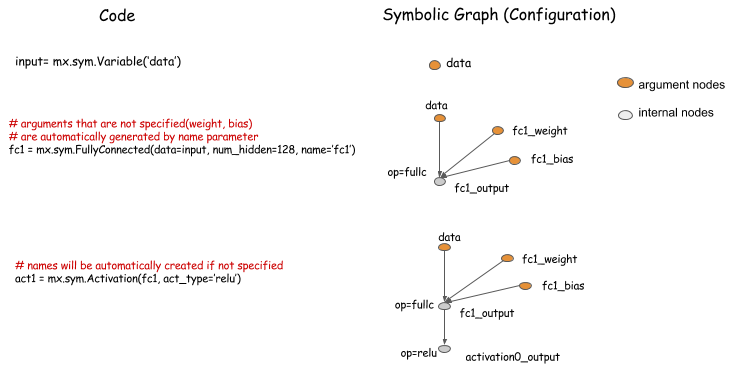
| In addition to supporting fine-grained operations, MXNet provides a way to perform big operations that are analogous to layers in neural networks. |
| You can use operators to describe the configuration of a neural network. |
| |
|  |
| |
| |
| ## Example of a Multi-Input Network |
| |
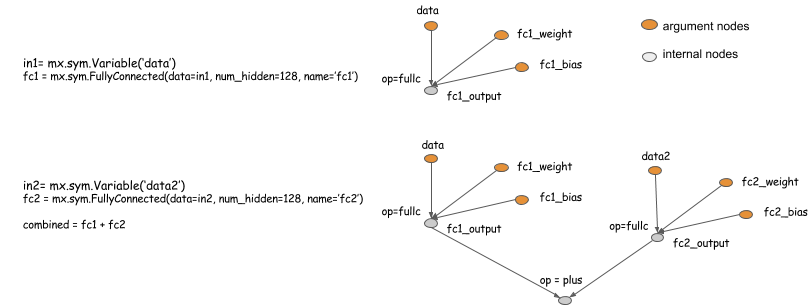
| The following example shows how to configure multiple input neural networks. |
| |
|  |
| |
| |
| ## Bind and Execute Symbol |
| |
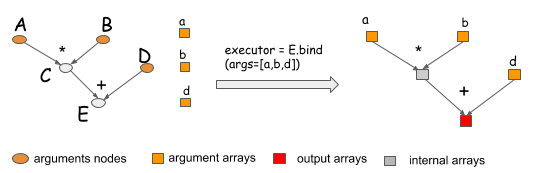
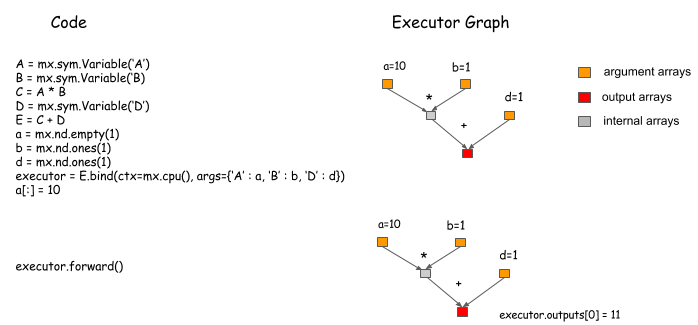
| When you need to execute a symbol graph, you call the bind function to bind ```NDArrays``` to the argument nodes |
| in order to obtain an ```Executor```. |
| |
|  |
| |
| To get the output results, given the bound NDArrays as input, you can call ```Executor.Forward```. |
| |
|  |
| |
| |
| ## Bind Multiple Outputs |
| |
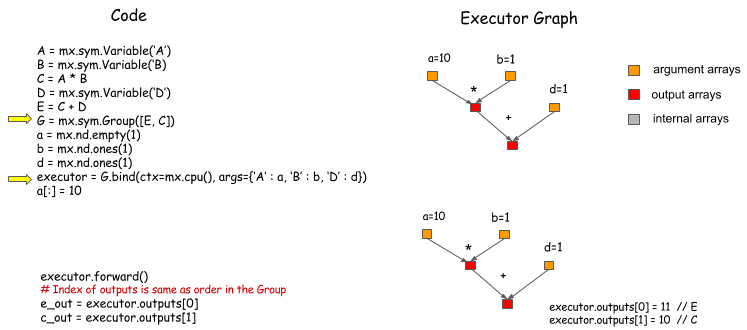
| To group symbols, then bind them to |
| get the outputs of both, use ```mx.symbol.Group```. |
| |
|  |
| |
| Remember: Bind only what you need, so that the system can perform more optimizations. |
| |
| |
| ## Calculate the Gradient |
| |
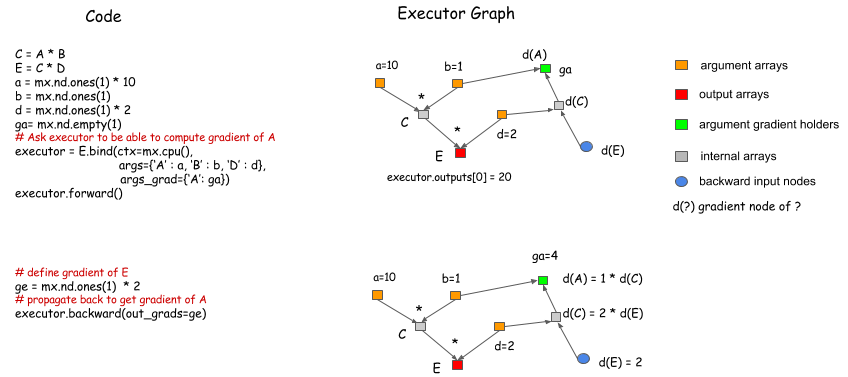
| In the bind function, you can specify NDArrays that will hold gradients. Calling ```Executor.backward``` after ```Executor.forward``` gives you the corresponding gradients. |
| |
|  |
| |
| |
| ## Simple Bind Interface for Neural Networks |
| |
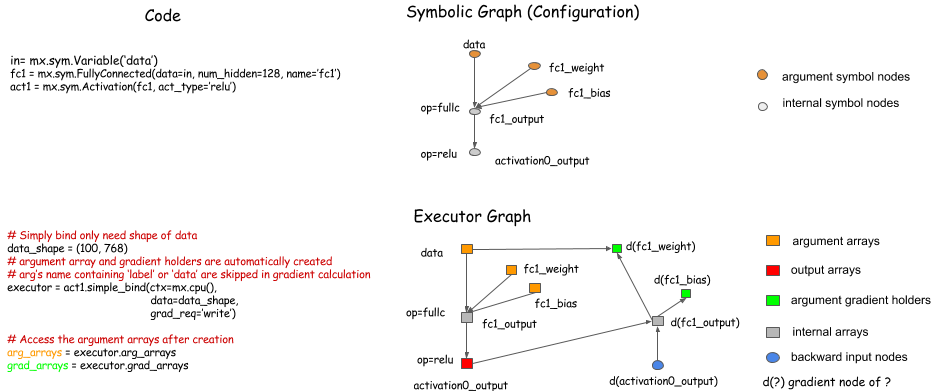
| It can be tedious to pass the argument NDArrays to the bind function, especially when you are binding a big |
| graph. ```Symbol.simple_bind``` provides a way to simplify |
| the procedure. You need to specify only input data shapes. The function allocates the arguments, and binds |
| the Executor for you. |
| |
|  |
| |
| ## Auxiliary States |
| |
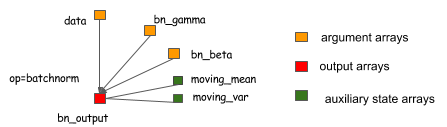
| Auxiliary states are just like arguments, except that you can't take the gradient of them. Although auxiliary states might not be part of the computation, they can be helpful for tracking. You can pass auxiliary states in the same way that you pass arguments. |
| |
|  |
| |
| ## Next Steps |
| |
| See [Symbolic API](symbol.md) and [Python Documentation](index.md). |
