

| <!-- | |
| Licensed to the Apache Software Foundation (ASF) under one | |
| or more contributor license agreements. See the NOTICE file | |
| distributed with this work for additional information | |
| regarding copyright ownership. The ASF licenses this file | |
| to you under the Apache License, Version 2.0 (the | |
| "License"); you may not use this file except in compliance | |
| with the License. You may obtain a copy of the License at | |
| http://www.apache.org/licenses/LICENSE-2.0 | |
| Unless required by applicable law or agreed to in writing, | |
| software distributed under the License is distributed on an | |
| "AS IS" BASIS, WITHOUT WARRANTIES OR CONDITIONS OF ANY | |
| KIND, either express or implied. See the License for the | |
| specific language governing permissions and limitations | |
| under the License. | |
| --> | |
| # ODBC | |
| With IoTDB JDBC, IoTDB can be accessed using the ODBC-JDBC bridge. The example program in "odbc" can write and read data through ODBC using the bridge. | |
| ## Dependencies | |
| * IoTDB-JDBC's jar-with-dependency package | |
| * ODBC-JDBC bridge (e.g. ZappySys JDBC Bridge) | |
| ## Deployment | |
| ### Preparing JDBC package | |
| Download the source code of IoTDB, and execute the following command in root directory: | |
| ```shell | |
| mvn clean package -pl iotdb-client/jdbc -am -DskipTests -P get-jar-with-dependencies | |
| ``` | |
| Then, you can see the output `iotdb-jdbc-1.3.2-SNAPSHOT-jar-with-dependencies.jar` under `iotdb-client/jdbc/target` directory. | |
| ### Preparing ODBC-JDBC Bridge | |
| *Note: Here we only provide one kind of ODBC-JDBC bridge as the instance. Readers can use other ODBC-JDBC bridges to access IoTDB with the IOTDB-JDBC.* | |
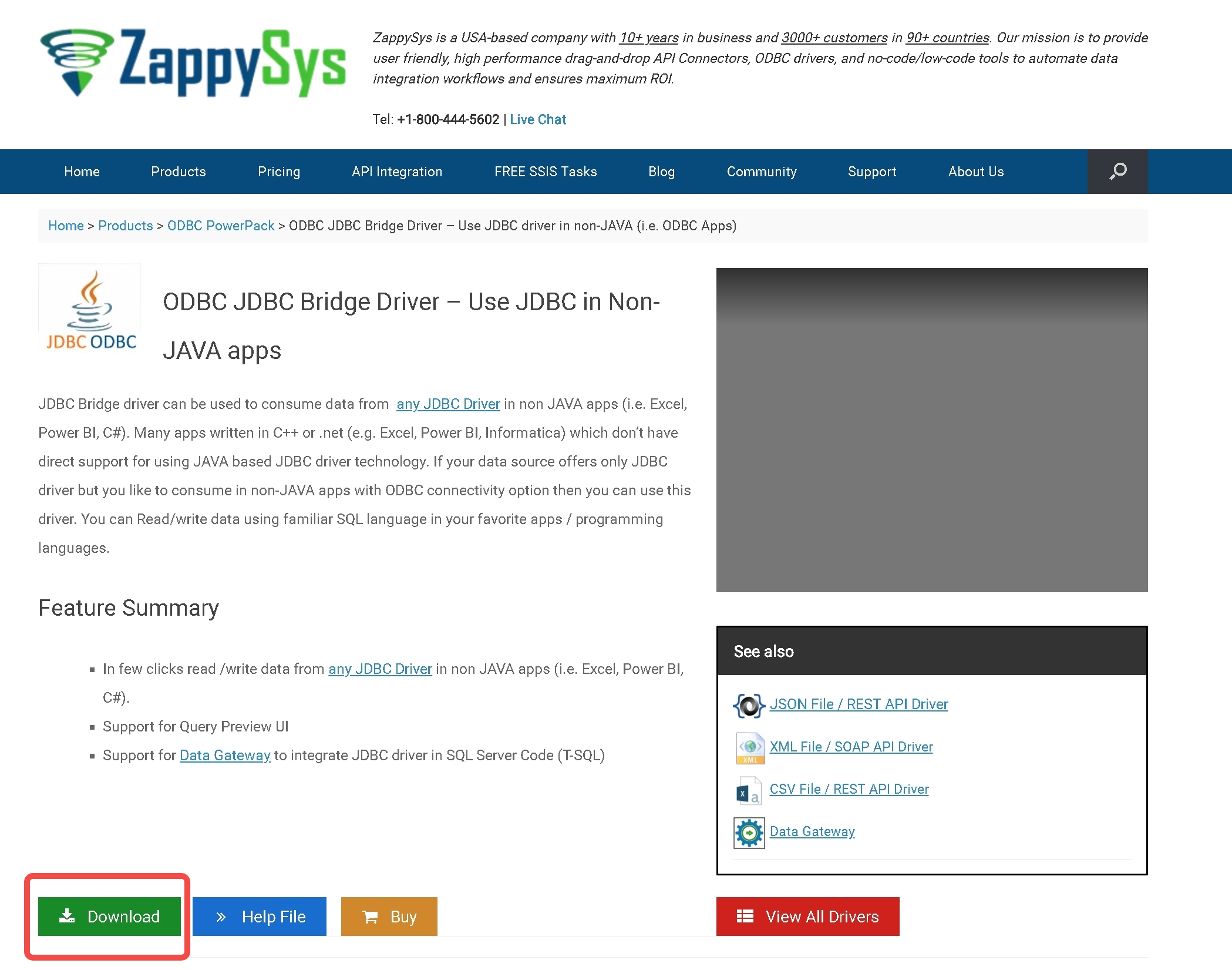
| 1. **Download Zappy-Sys ODBC-JDBC Bridge**: | |
| Enter the https://zappysys.com/products/odbc-powerpack/odbc-jdbc-bridge-driver/ website, and click "download". | |
|  | |
| 2. **Prepare IoTDB**: Set up IoTDB cluster, and write a row of data arbitrarily. | |
| ```sql | |
| IoTDB > insert into root.ln.wf02.wt02(timestamp,status) values(1,true) | |
| ``` | |
| 3. **Deploy and Test the Bridge**: | |
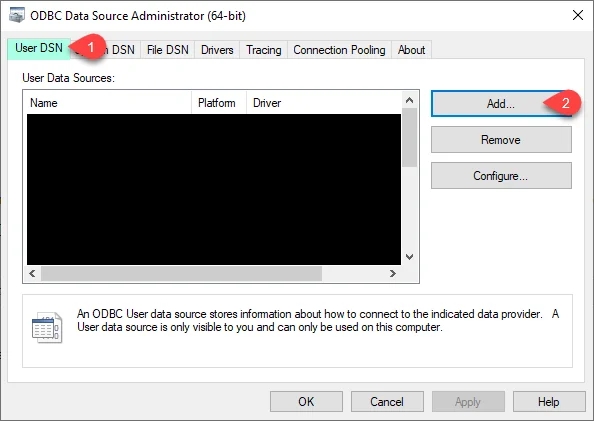
| 1. Open ODBC Data Sources(32/64 bit), depending on the bits of Windows. One possible position is `C:\ProgramData\Microsoft\Windows\Start Menu\Programs\Administrative Tools`. | |
|  | |
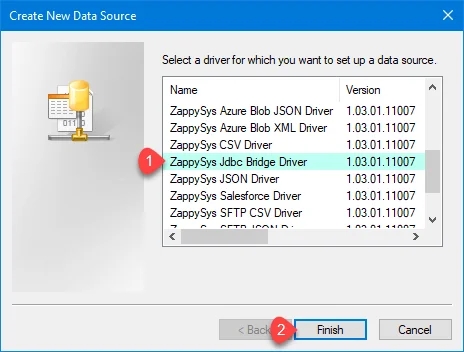
| 3. Click on "add" and select ZappySys JDBC Bridge. | |
|  | |
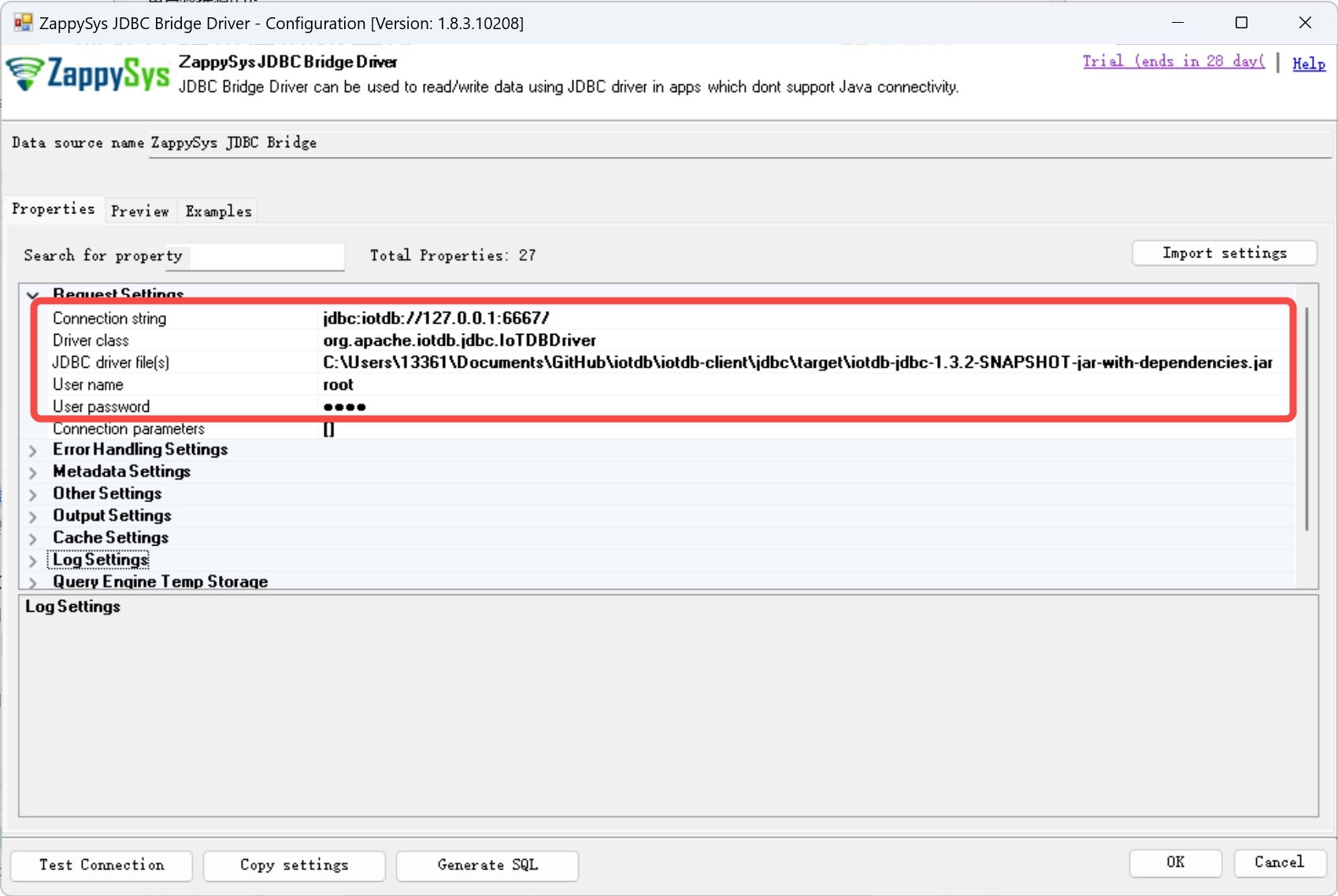
| 5. Fill in the following settings: | |
| | Property | Content | Example | | |
| |---------------------|-----------------------------------------------------------|--------------------------------------------------------------------------------------------------------------------| | |
| | Connection String | jdbc:iotdb://\<The IP of IoTDB>:\<The rpc port of IoTDB>/ | jdbc:iotdb://127.0.0.1:6667/ | | |
| | Driver Class | org.apache.iotdb.jdbc.IoTDBDriver | org.apache.iotdb.jdbc.IoTDBDriver | | |
| | JDBC driver file(s) | The path of IoTDB JDBC jar-with-dependencies | C:\Users\13361\Documents\GitHub\iotdb\iotdb-client\jdbc\target\iotdb-jdbc-1.3.2-SNAPSHOT-jar-with-dependencies.jar | | |
| | User name | IoTDB's user name | root | | |
| | User password | IoTDB's password | root | | |
| 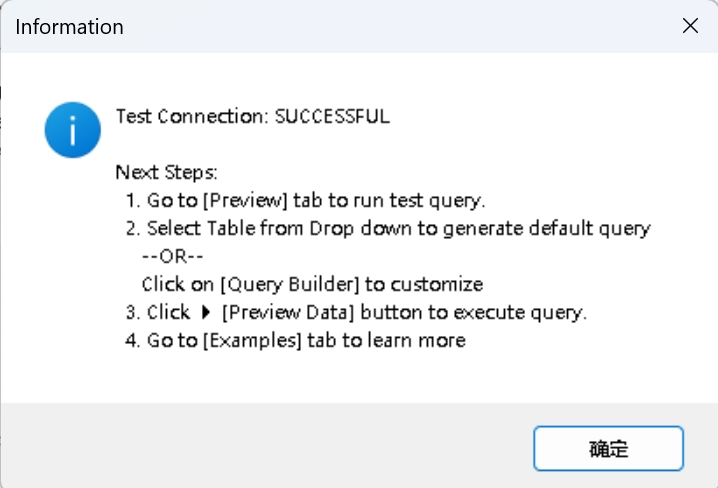 | |
| 6. Click on "Test Connection" button, and a "Test Connection: SUCCESSFUL" should appear. | |
|  | |
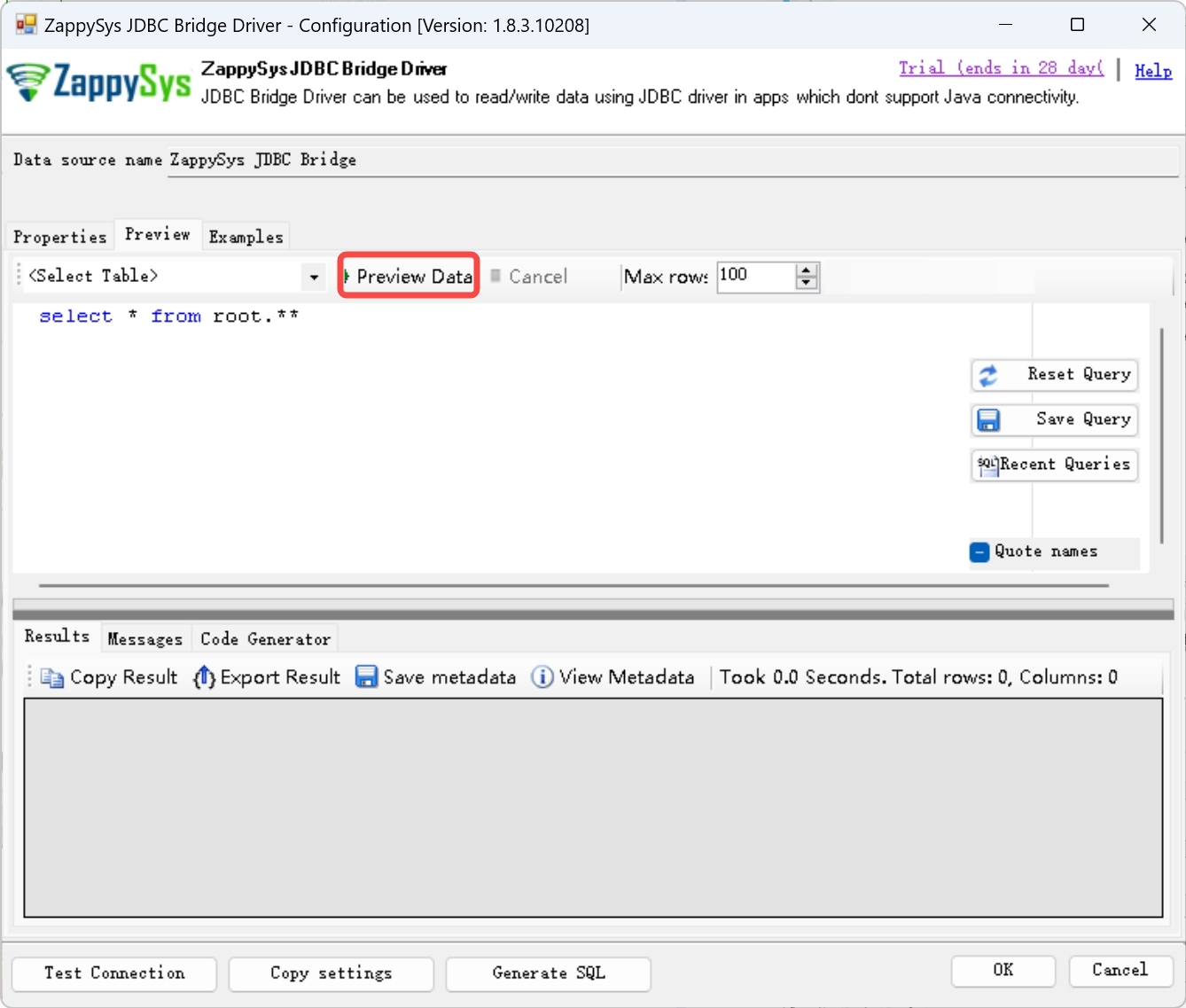
| 7. Click the "Preview" button above, and replace the original query text with `select * from root.**`, then click "Preview Data", and the query result should correctly. | |
|  | |
| ## Operate IoTDB's data with ODBC example | |
| After correct deployment, you can use the example program to operate IoTDB's data. | |
| This program can write data into IoTDB, and query the data we have just written. You can directly open the "odbc-example" with JetBrains Rider and run it. |