| <!-- |
| |
| Licensed to the Apache Software Foundation (ASF) under one |
| or more contributor license agreements. See the NOTICE file |
| distributed with this work for additional information |
| regarding copyright ownership. The ASF licenses this file |
| to you under the Apache License, Version 2.0 (the |
| "License"); you may not use this file except in compliance |
| with the License. You may obtain a copy of the License at |
| |
| http://www.apache.org/licenses/LICENSE-2.0 |
| |
| Unless required by applicable law or agreed to in writing, |
| software distributed under the License is distributed on an |
| "AS IS" BASIS, WITHOUT WARRANTIES OR CONDITIONS OF ANY |
| KIND, either express or implied. See the License for the |
| specific language governing permissions and limitations |
| under the License. |
| |
| --> |
| |
| # DBeaver-IoTDB |
| |
| DBeaver 是一个 SQL 客户端和数据库管理工具。DBeaver 可以使用 IoTDB 的 JDBC 驱动与 IoTDB 进行交互。 |
| |
| ## DBeaver 安装 |
| |
| * DBeaver 下载地址:https://dbeaver.io/download/ |
| |
| ## IoTDB 安装 |
| |
| * 下载 IoTDB 二进制版本 |
| * IoTDB 下载地址:https://iotdb.apache.org/Download/ |
| * 版本 >= 0.13.0 |
| * 或者从源代码中编译 |
| * 参考 https://github.com/apache/iotdb |
| |
| ## 连接 IoTDB 与 DBeaver |
| |
| 1. 启动 IoTDB 服务 |
| |
| ```shell |
| ./sbin/start-server.sh |
| ``` |
| 2. 启动 DBeaver |
| |
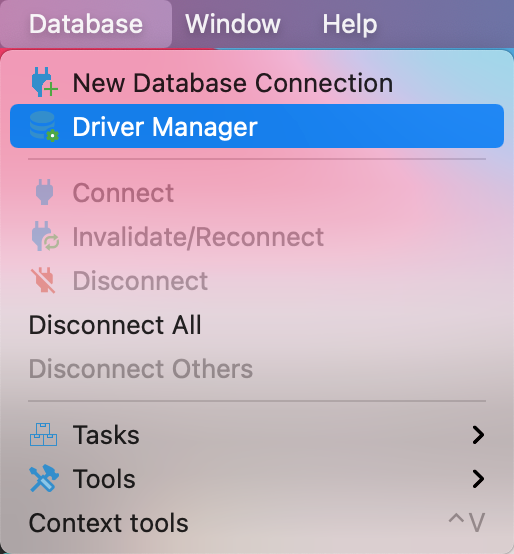
| 3. 打开 Driver Manager |
| |
|  |
| 4. 为 IoTDB 新建一个驱动类型 |
| |
| 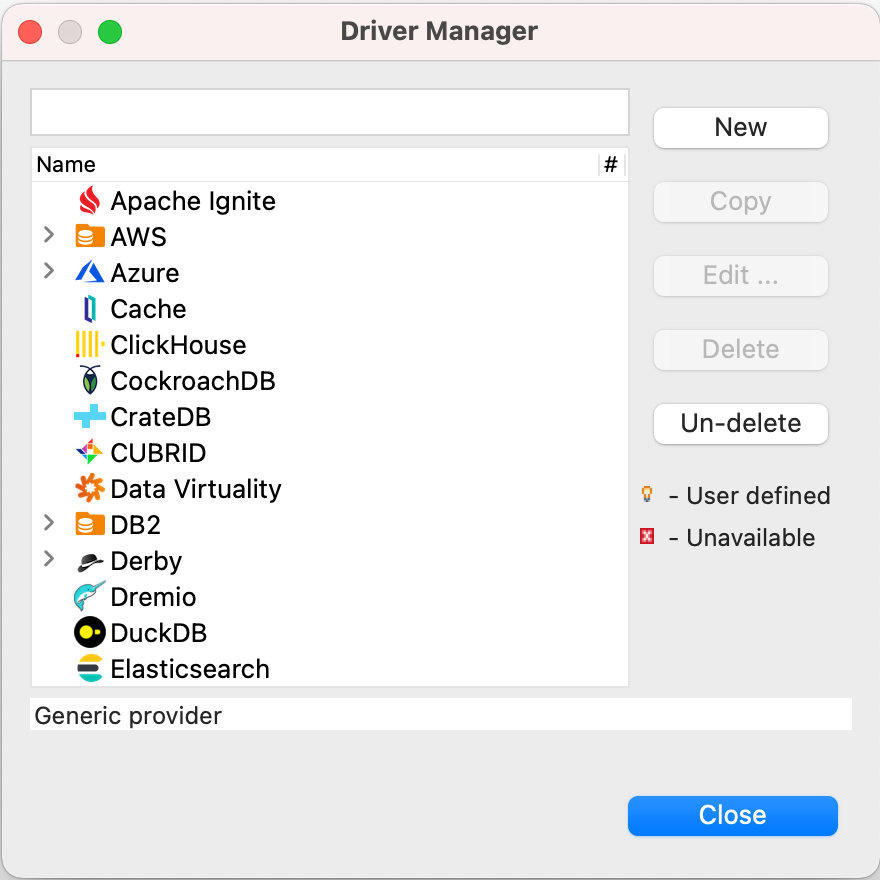 |
| |
| 5. 下载 jdbc 驱动, 可点击下载 [地址1](https://maven.proxy.ustclug.org/maven2/org/apache/iotdb/iotdb-jdbc/1.2.1/iotdb-jdbc-1.2.1-jar-with-dependencies.jar) 或 [地址2](https://repo1.maven.org/maven2/org/apache/iotdb/iotdb-jdbc/1.2.1/iotdb-jdbc-1.2.1-jar-with-dependencies.jar)。 |
| |
| 6. 添加刚刚下载的驱动包,点击 Find Class。 |
| |
| 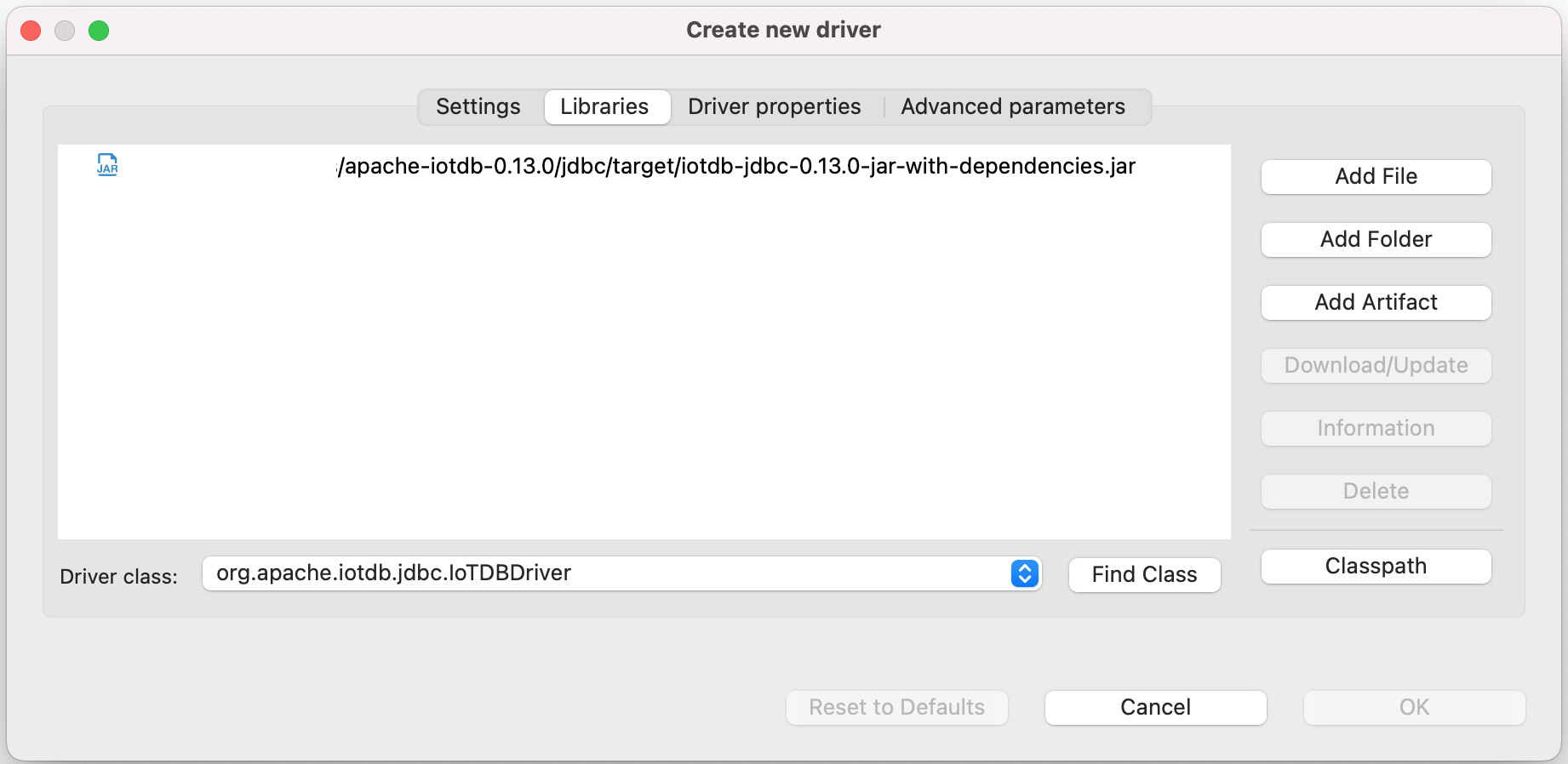 |
| |
| 7. 编辑驱动设置 |
| |
| 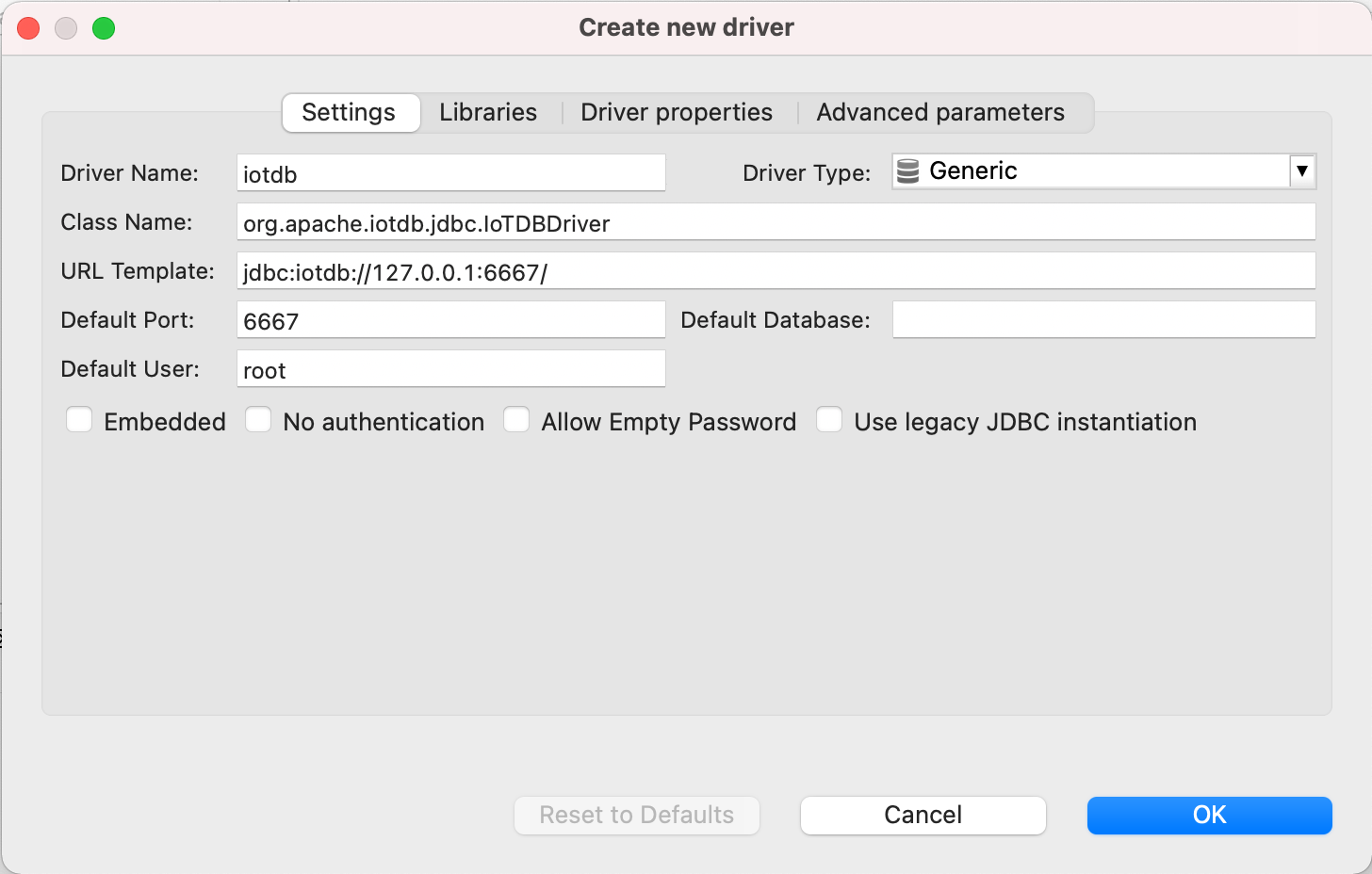 |
| |
| 8. 新建 DataBase Connection, 选择 iotdb |
| |
| 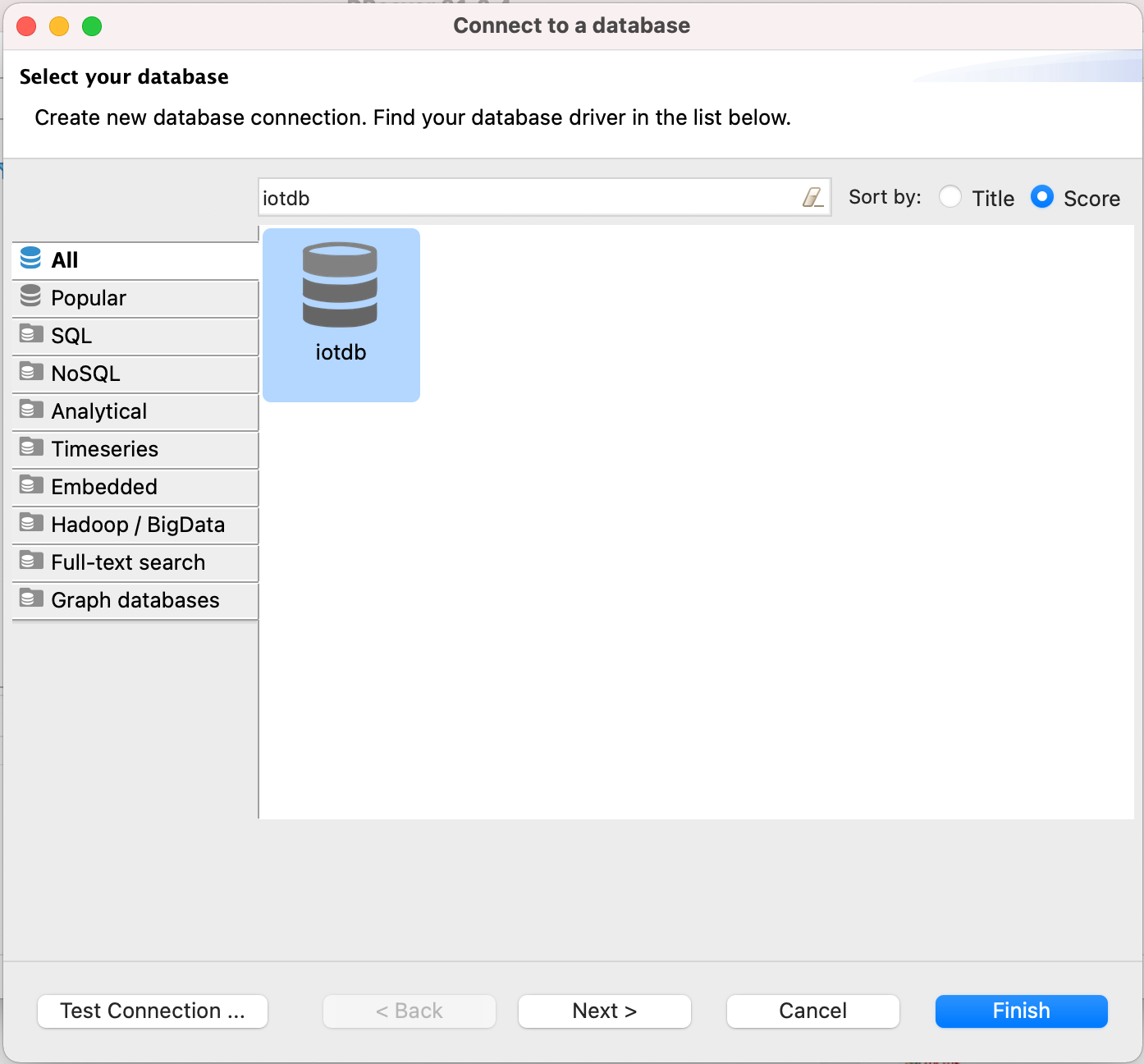 |
| |
| 9. 编辑 JDBC 连接设置 |
| |
| ``` |
| JDBC URL: jdbc:iotdb://127.0.0.1:6667/ |
| Username: root |
| Password: root |
| ``` |
| 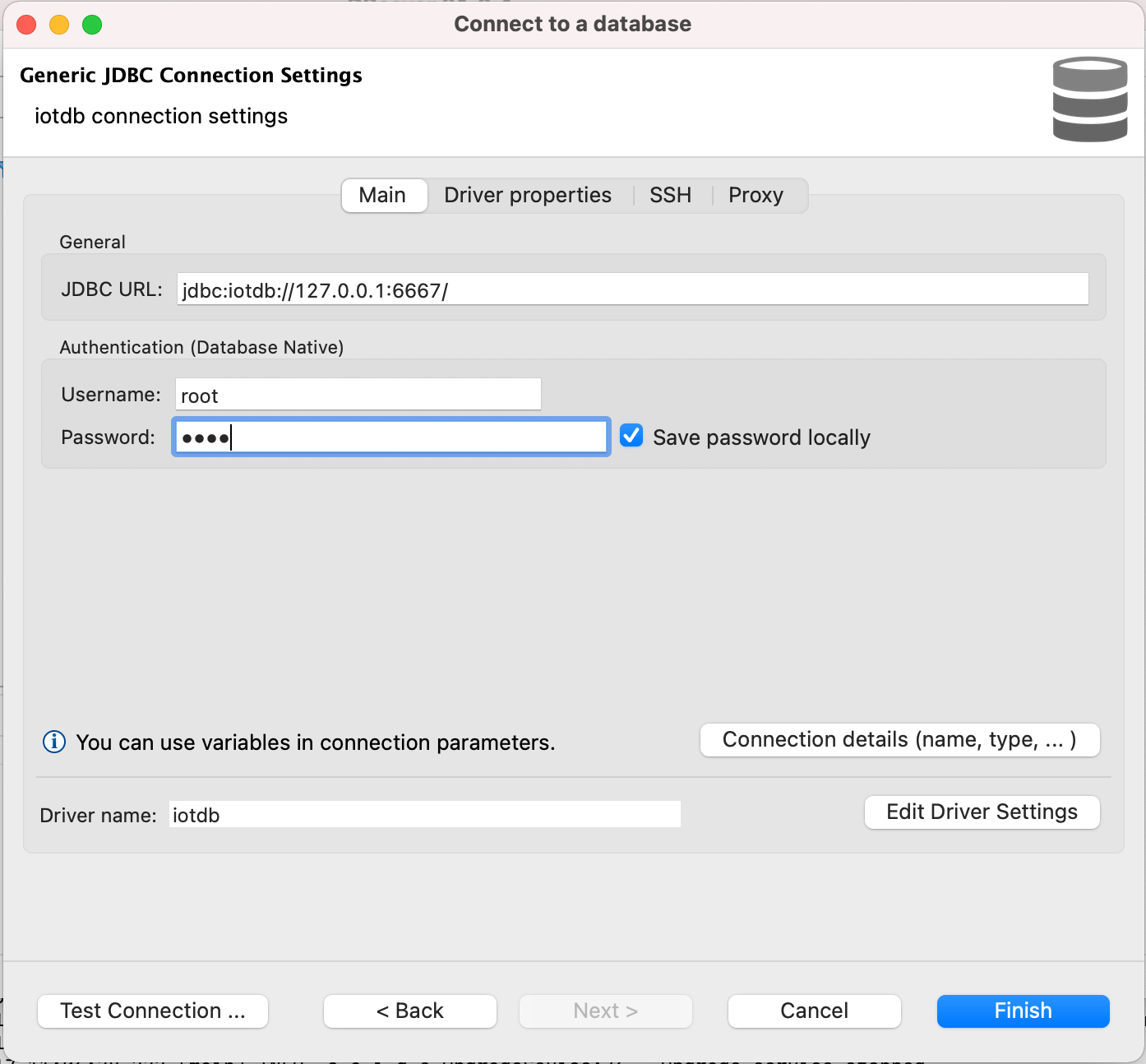 |
| |
| 10. 测试连接 |
| |
| 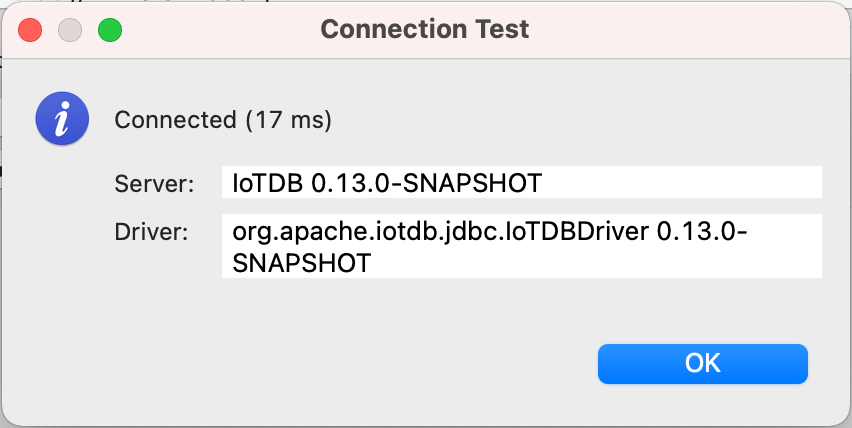 |
| |
| 11. 可以开始通过 DBeaver 使用 IoTDB |
| |
| 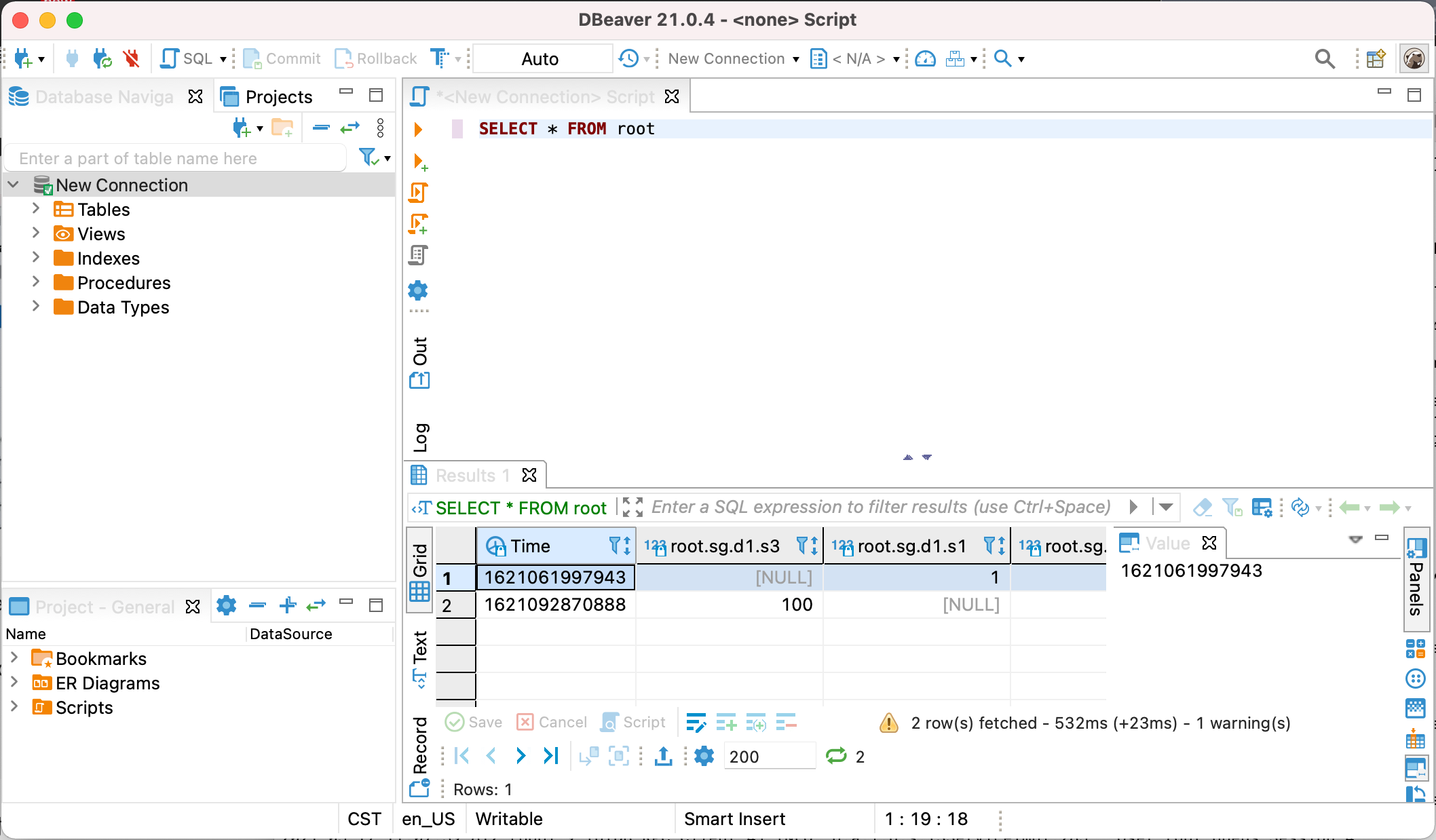 |
