| --- |
| title: 管理 API 消费者 |
| keywords: |
| - API 网关 |
| - Apache APISIX |
| - Rate Limit |
| - Consumer |
| - Consumer Group |
| description: This tutorial explains how to manage your single or multiple API consumers with Apache APISIX. |
| --- |
| |
| <!-- |
| # |
| |
| # Licensed to the Apache Software Foundation (ASF) under one or more |
| # contributor license agreements. See the NOTICE file distributed with |
| # this work for additional information regarding copyright ownership. |
| # The ASF licenses this file to You under the Apache License, Version 2.0 |
| # (the "License"); you may not use this file except in compliance with |
| # the License. You may obtain a copy of the License at |
| # |
| # http://www.apache.org/licenses/LICENSE-2.0 |
| # |
| # Unless required by applicable law or agreed to in writing, software |
| # distributed under the License is distributed on an "AS IS" BASIS, |
| # WITHOUT WARRANTIES OR CONDITIONS OF ANY KIND, either express or implied. |
| # See the License for the specific language governing permissions and |
| # limitations under the License. |
| # |
| --> |
| |
| 本教程介绍了如何使用 Apache APISIX 管理单个或多个 API 消费者(API Consumers)。 |
| |
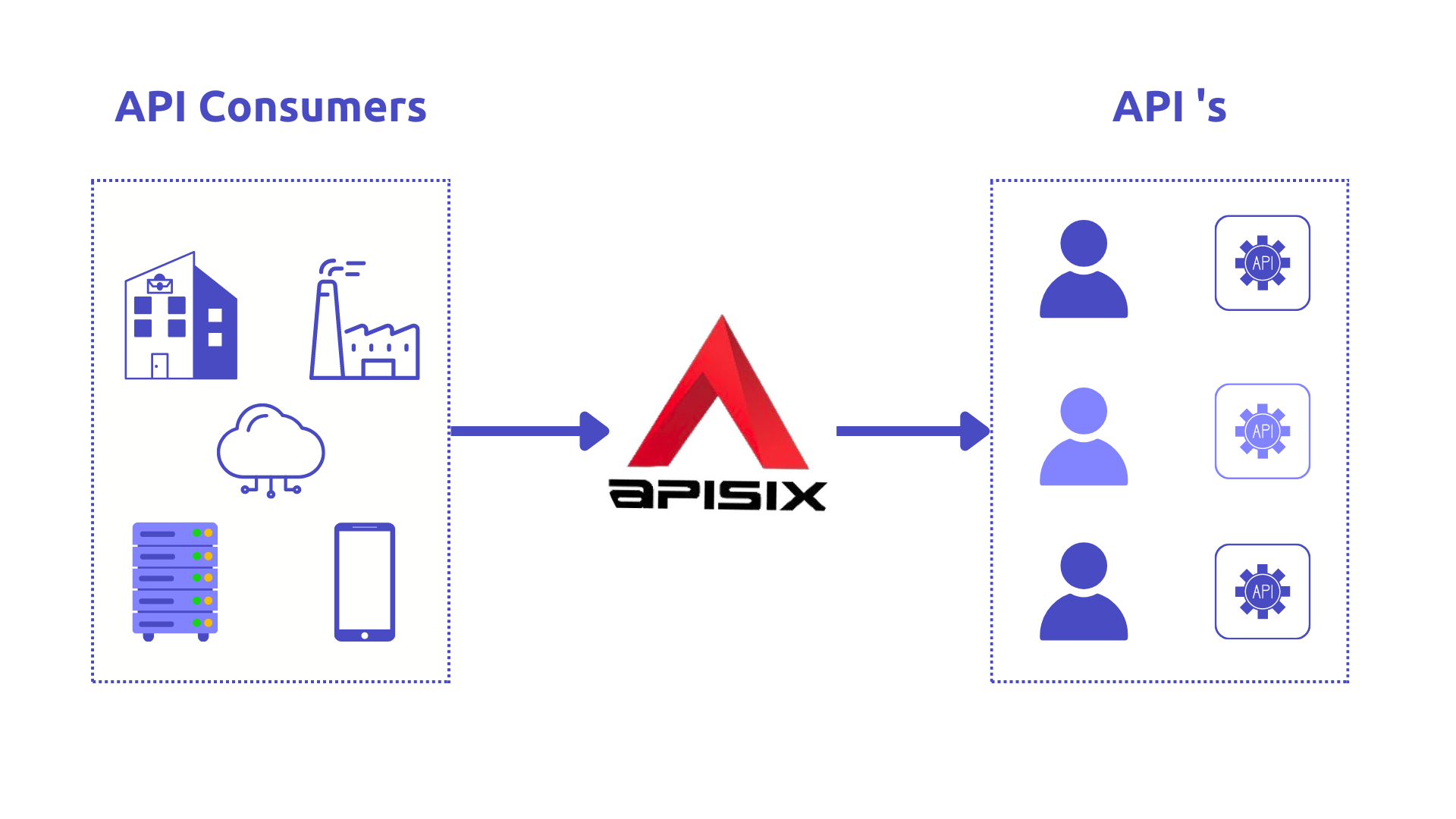
| 如今,[API](https://en.wikipedia.org/wiki/API) 使得多个系统、内部服务以及第三方应用能够轻松且安全地互联。API 消费者(API consumers)对于 API 提供方来说是最重要的利益相关者之一,因为他们与 API 及开发者门户的交互最为频繁。本文将介绍如何使用开源 API 管理解决方案 [Apache APISIX](https://apisix.apache.org/) 来管理单个或多个 API 消费者。 |
| |
|  |
| |
| ## API 消费者(API Consumers) |
| |
| API 消费者是指使用某个 API 的用户,但他们并不会专门为该 API 开发应用。换句话说,API 消费者就是 API 的使用者。 |
| 例如,市场部门可能会使用 [Facebook API](https://developers.facebook.com/docs/) 来分析社交媒体上对特定活动的反馈,他们会在需要时向提供的 API 发送独立且不定期的请求。 |
| |
| 一个 [API 管理](https://en.wikipedia.org/wiki/API_management) 解决方案需要能够识别谁是 API 的消费者,以便针对不同的消费者配置不同的规则。 |
| |
| ## Apache APISIX 中的消费者(Consumers) |
| |
| 在 Apache APISIX 中,[Consumer 对象](https://apisix.apache.org/zh/docs/apisix/terminology/consumer/) 是 API 消费者访问通过 [API 网关(API Gateway)](https://apisix.apache.org/zh/docs/apisix/terminology/api-gateway/) 发布的 API 的主要方式。 |
| 当不同的消费者请求同一个 API,而你需要针对不同消费者执行不同的 [插件(Plugin)](https://apisix.apache.org/zh/docs/apisix/terminology/plugin/) 或 [上游(Upstream)](https://apisix.apache.org/zh/docs/apisix/terminology/upstream/) 配置时,Consumer 概念会非常有用。 |
| |
| 通过 Apache APISIX API 网关发布 API 后,可以轻松使用消费者密钥(consumer key,也称订阅密钥 subscription key)来保护 API 访问。 |
| 需要使用已发布 API 的开发者必须在调用这些 API 的 `HTTP` 请求中包含有效的订阅密钥。若订阅密钥无效,API 网关会立即拒绝请求,而不会将其转发到后端服务。 |
| |
| 消费者可以关联不同的作用范围:按插件、所有 API 或单个 API。 |
| 在 API 网关中,结合插件使用消费者对象可以实现多种场景: |
| |
| 1. 为不同消费者启用不同的认证方式。 |
| 当消费者尝试通过不同认证机制(如 [API key](https://apisix.apache.org/zh/docs/apisix/plugins/key-auth/)、[Basic](https://apisix.apache.org/zh/docs/apisix/plugins/basic-auth/)、或基于 [JWT](https://apisix.apache.org/zh/docs/apisix/plugins/jwt-auth/) 的认证)访问 API 时,这种机制非常有用。 |
| 2. 限制特定消费者对 API 资源的访问。 |
| 3. 根据消费者将请求路由到相应的后端服务。 |
| 4. 定义数据消费的速率限制。 |
| 5. 分析单个消费者或消费者子集的数据使用情况。 |
| |
| ## Apache APISIX Consumer 示例 |
| |
| 下面我们来看一个示例,演示如何结合 [key-auth](https://apisix.apache.org/zh/docs/apisix/plugins/key-auth/) 认证插件(API Key)与 [limit-count](https://apisix.apache.org/zh/docs/apisix/plugins/limit-count/) 插件,为单个消费者或一组消费者配置限流策略。 |
| |
| 在本示例中,我们将使用一个基于 [ASP.NET Core Web API](https://learn.microsoft.com/en-us/aspnet/core/?view=aspnetcore-7.0) 的 [示例项目](https://github.com/Boburmirzo/apisix-api-consumers-management),该项目包含一个简单的 `GET` 接口,用于获取商品列表。 |
| 项目的运行方式可在其 [README 文件](https://github.com/Boburmirzo/apisix-api-consumers-management#readme) 中找到详细说明。 |
| |
| ### 为单个消费者启用限流(Rate Limiting) |
| |
| 假设此时示例项目已经启动运行。 |
| 要将消费者对象与上述两个插件配合使用,我们需要执行以下步骤: |
| |
| 1. 创建一个新的 **Consumer(消费者)**。 |
| 2. 为该消费者配置认证插件 `key-auth` 和限流插件 `limit-count`。 |
| 3. 创建新的 **Route(路由)**,并设置路由规则(如有需要)。 |
| 4. 为该路由启用 `key-auth` 插件配置。 |
| |
| 以上步骤只需通过两条 [curl 命令](https://en.wikipedia.org/wiki/CURL) 调用 APISIX 的 [Admin API](https://apisix.apache.org/zh/docs/apisix/admin-api/) 即可完成。 |
| |
| 第一条命令创建一个启用了 API Key 认证的 **新消费者**,并配置限流规则: |
| 该消费者在 60 秒内最多只能调用产品 API 两次。 |
| |
| ```shell |
| curl http://127.0.0.1:9180/apisix/admin/consumers -H "X-API-KEY: $admin_key" -X PUT -d ' |
| { |
| "username":"consumer1", |
| "plugins":{ |
| "key-auth":{ |
| "key":"auth-one" |
| }, |
| "limit-count":{ |
| "count":2, |
| "time_window":60, |
| "rejected_code":403, |
| "rejected_msg":"Requests are too many, please try again later or upgrade your subscription plan.", |
| "key":"remote_addr" |
| } |
| } |
| }' |
| ``` |
| |
| 接下来,我们定义一个新的 **Route(路由)** 与 **Upstream(上游)**, |
| 使得所有到达网关端点 `/api/products` 的请求在通过认证后,都会被转发到示例项目的产品服务。 |
| |
| ```shell |
| curl http://127.0.0.1:9180/apisix/admin/routes/1 -H "X-API-KEY: $admin_key" -X PUT -d ' |
| { |
| "name": "Route for consumer request rate limiting", |
| "methods": [ |
| "GET" |
| ], |
| "uri": "/api/products", |
| "plugins": { |
| "key-auth": {} |
| }, |
| "upstream": { |
| "type": "roundrobin", |
| "nodes": { |
| "productapi:80": 1 |
| } |
| } |
| }' |
| ``` |
| |
| 在此配置下,Apache APISIX 将正常处理前两次请求, |
| 但在相同的 60 秒时间窗口内的 **第三次请求** 将返回一个 `403` HTTP 状态码。 |
| |
| ```shell |
| curl http://127.0.0.1:9080/api/products -H 'apikey: auth-one' -i |
| ``` |
| |
| 如果在 60 秒内连续调用三次接口,示例输出如下: |
| |
| ```shell |
| HTTP/1.1 403 Forbidden |
| Content-Type: text/plain; charset=utf-8 |
| Transfer-Encoding: chunked |
| Connection: keep-alive |
| Server: APISIX/2.13.1 |
| |
| {"error_msg":"Requests are too many, please try again later or upgrade your subscription plan."} |
| ``` |
| |
| 当请求次数达到阈值后,APISIX 将拒绝后续请求。 |
| |
| ### 为消费者组启用限流(Rate Limiting for Consumer Groups) |
| |
| 在 Apache APISIX 中,[Consumer Group(消费者组)](https://apisix.apache.org/zh/docs/apisix/terminology/consumer-group/) 对象用于管理开发者对后端服务的可见性。 |
| 后端服务首先对特定组可见,然后组内的开发者即可查看并订阅与该组关联的产品。 |
| |
| 借助消费者组,你可以为一组消费者定义多级限流策略,而无需逐个管理每个消费者。 |
| |
| 典型场景包括: |
| |
| * API 商业化中的不同定价策略,例如“Basic 套餐”的消费者每分钟允许调用 50 次 API; |
| * 或根据用户角色(管理员、开发者、访客等)启用不同的 API 权限访问。 |
| |
| 你可以通过 Apache APISIX 的管理 REST API 中的 [Consumer Group 实体](https://apisix.apache.org/zh/docs/apisix/admin-api/#consumer-group) 来创建、更新、删除和管理消费者组。 |
| |
| #### Consumer groups 示例 |
| |
| 为了演示,我们将分别为 **Basic(基础)** 和 **Premium(高级)** 两种套餐创建两个消费者组(Consumer Group)。 |
| 我们可以为每个组添加一个或两个消费者,并通过 `rate-limiting` 插件来控制来自不同消费者组的流量。 |
| |
| 要在限流场景中使用消费者组,你需要执行以下步骤: |
| |
| * 创建一个或多个启用了 `limit-count` 插件的消费者组。 |
| * 创建消费者(Consumers),并将它们分配到对应的组中。 |
| |
| 下面的两条 `curl` 命令用于分别创建名为 `basic_plan` 和 `premium_plan` 的消费者组: |
| |
| **创建 Basic Plan(基础套餐)的消费者组** |
| |
| ```shell |
| curl http://127.0.0.1:9180/apisix/admin/consumer_groups/basic_plan -H "X-API-KEY: $admin_key" -X PUT -d ' |
| { |
| "plugins": { |
| "limit-count": { |
| "count": 2, |
| "time_window": 60, |
| "rejected_code": 403, |
| "group": "basic_plan" |
| } |
| } |
| }' |
| ``` |
| |
| **创建 Premium Plan(高级套餐)的消费者组** |
| |
| ```shell |
| curl http://127.0.0.1:9180/apisix/admin/consumer_groups/premium_plan -H "X-API-KEY: $admin_key" -X PUT -d ' |
| { |
| "plugins": { |
| "limit-count": { |
| "count": 200, |
| "time_window": 60, |
| "rejected_code": 403, |
| "group": "premium_plan" |
| } |
| } |
| }' |
| ``` |
| |
| 在上述步骤中,我们为 **Basic Plan** 设置了限流规则:每 60 秒内仅允许 **2 次请求**; |
| 而 **Premium Plan** 则允许在相同时间窗口内执行 **200 次 API 请求**。 |
| |
| **创建并将第一个消费者加入 Basic 组** |
| |
| ```shell |
| curl http://127.0.0.1:9180/apisix/admin/consumers -H "X-API-KEY: $admin_key" -X PUT -d ' |
| { |
| "username": "consumer1", |
| "plugins": { |
| "key-auth": { |
| "key": "auth-one" |
| } |
| }, |
| "group_id": "basic_plan" |
| }' |
| ``` |
| |
| **创建并将第二个消费者加入 Premium 组** |
| |
| ```shell |
| curl http://127.0.0.1:9180/apisix/admin/consumers -H "X-API-KEY: $admin_key" -X PUT -d ' |
| { |
| "username": "consumer2", |
| "plugins": { |
| "key-auth": { |
| "key": "auth-two" |
| } |
| }, |
| "group_id": "premium_plan" |
| }' |
| ``` |
| |
| **创建并将第三个消费者加入 Premium 组** |
| |
| ```shell |
| curl http://127.0.0.1:9180/apisix/admin/consumers -H "X-API-KEY: $admin_key" -X PUT -d ' |
| { |
| "username": "consumer3", |
| "plugins": { |
| "key-auth": { |
| "key": "auth-three" |
| } |
| }, |
| "group_id": "premium_plan" |
| }' |
| ``` |
| |
| 之后,我们可以验证限流效果: |
| 属于 **Basic Plan** 组的第一个消费者 `consumer1` 在 1 分钟内调用 API 超过 2 次后,将收到 **403 HTTP 状态码错误**; |
| 而属于 **Premium Plan** 组的其他两个消费者则可继续请求,直到达到各自的请求上限。 |
| |
| 你可以通过在请求头中更换认证密钥来执行以下命令进行测试: |
| |
| ```shell |
| curl -i http://127.0.0.1:9080/api/products -H 'apikey: auth-one' |
| ``` |
| |
| ```shell |
| curl -i http://127.0.0.1:9080/api/products -H 'apikey: auth-two' |
| ``` |
| |
| ```shell |
| curl -i http://127.0.0.1:9080/api/products -H 'apikey: auth-three' |
| ``` |
| |
| 请注意,你还可以在任意时刻将消费者添加到或移出消费者组,并启用其他内置插件。 |
| |
| ## 更多教程 |
| |
| 阅读我们的其他 [教程](./expose-api.md),以了解更多有关 **API 管理(API Management)** 的内容。 |
